How to Unban YouTube — Complete Guide to Getting Your Channel Back
How to unban YouTube: step-by-step appeal guide, DMCA counter-notifications, Second Chance program, and professional recovery with 92% success rate.
Quick Answer
To unban your YouTube account, log into YouTube Studio, review the termination details, click Begin Review, complete any verification steps, and submit a clear appeal explaining why the termination was unjust or how you have corrected the violation. For copyright terminations, file a DMCA counter-notification via email. If your appeal is rejected, YouTube's Second Chance program lets you apply for a new channel after one year. Professional recovery services achieve up to 92% success rates through optimized appeal drafting and escalation strategies.
Key Takeaways
- ✅ YouTube appeals must be filed within 1 year of termination through YouTube Studio
- ✅ Copyright terminations require a separate DMCA counter-notification process
- ✅ The Second Chance program (launched October 2025) offers a new channel after 1 year
- ✅ Appeal review typically takes 2–4 weeks; complex cases up to 8 weeks
- ✅ Professional recovery services use escalation channels for 92% success rates
What does "unban YouTube" mean?
When people search how to unban YouTube, they are looking for ways to reverse a YouTube channel or account termination. This involves filing an appeal through YouTube Studio, submitting DMCA counter-notifications for copyright bans, or applying for YouTube's Second Chance program. The goal is to restore access to the channel, its content library, subscriber base, and monetization eligibility through the YouTube Partner Program.
YouTube terminates over 7.5 million channels per quarter for violations of Community Guidelines, copyright infringement, and spam behavior. If your channel was among them, the financial and reputational damage is immediate — lost revenue from the YouTube Partner Program, deleted video libraries built over years, and severed connections with your subscriber base. The good news: terminated channels can be reinstated. YouTube's own documentation confirms that successful appeals restore full channel access, including your dashboard, videos, and monetization eligibility. This guide covers every method to get your YouTube account unbanned, from the standard appeal process to the new Second Chance program launched in October 2025, and explains when professional recovery services deliver faster, more reliable results.
Why Does YouTube Ban Channels and Accounts?
Understanding the exact reason behind your ban is the foundation of a successful appeal. YouTube terminates channels for specific, documented violations, and your appeal must directly address the cited reason. Google's automated systems and human reviewers work together to enforce these policies across the platform's 800+ million videos.
Community Guidelines Violations
Repeated violations of YouTube's Community Guidelines across any content form — videos, comments, live streams, community posts, thumbnails, or channel descriptions — trigger termination. The most common triggers include posting abusive or hate speech content, spam behavior, misleading metadata, harassment, and dangerous or harmful content. A single severe violation such as predatory behavior, explicit pornography, or content endangering children results in immediate termination without prior warnings.
Copyright Infringement
Three copyright strikes result in automatic channel termination. Each strike represents a formal DMCA takedown request from a rights holder. YouTube is legally obligated to act on valid notices under the Digital Millennium Copyright Act. The recovery path for copyright terminations differs entirely from Community Guidelines appeals — you will need to file counter-notifications, not standard appeals.
Terms of Service Violations
Accounts engaged in click fraud, artificial view inflation, monetization abuse, impersonation, or fraudulent schemes face termination under YouTube's Terms of Service. These bans are typically harder to reverse because they involve intentional policy manipulation rather than content-level violations. Professional recovery services handle an estimated 34% of their YouTube cases in this category, according to industry data from 2025.
Types of YouTube Bans — Strikes vs. Permanent Termination
Not every YouTube ban is the same. The recovery method depends entirely on which enforcement action was applied to your account. YouTube uses a graduated system with three distinct levels, each requiring a different approach to resolve.
Individual Community Guidelines strikes expire after 90 days. If you maintain a clean record during that period, the strike is removed. However, receiving three strikes within any 90-day window triggers permanent channel termination, which requires the full appeal process described in the next section. Channels in the YouTube Partner Program lose all monetization eligibility immediately upon termination, including any unpaid earnings.
How to Unban YouTube Through the Appeal Process
The appeal process is the primary method to get unbanned from YouTube. Creators have up to 1 year from the termination date to submit an appeal, and there is a limit on how many times you can appeal a single termination. Follow these steps precisely to maximize your chances of reinstatement.
Step 1: Identify the Exact Ban Reason
Check the termination email YouTube sent to your associated Gmail address. If you cannot find the email, log into YouTube Studio directly — you can still access Studio to review termination information even after your channel has been deleted. Note the specific policy violation cited, as your appeal must address this exact reason.
Step 2: Gather Your Channel Information
Collect your Channel ID (found in your channel URL — this is the alphanumeric string, not your custom URL handle). Also prepare timestamps of any specific videos flagged, evidence that the content complied with current policies, and documentation of any errors in the review process. This preparation step is where most self-appeals fail — 68% of rejected appeals lack sufficient supporting evidence, according to platform appeals data from 2025.
Step 3: Submit the Appeal Through YouTube Studio
Open YouTube Studio and re-authenticate if prompted. Below the termination information, click Begin Review. Complete any verification step required. Review the stated reason for termination and click Next. Select Start Appeal, then click Next again. Enter your contact email address and write a clear, concise explanation of your reason for appeal. Click Submit. If the Studio interface is inaccessible, use YouTube's external appeal form as an alternative.
Step 4: Monitor Your Appeal Status
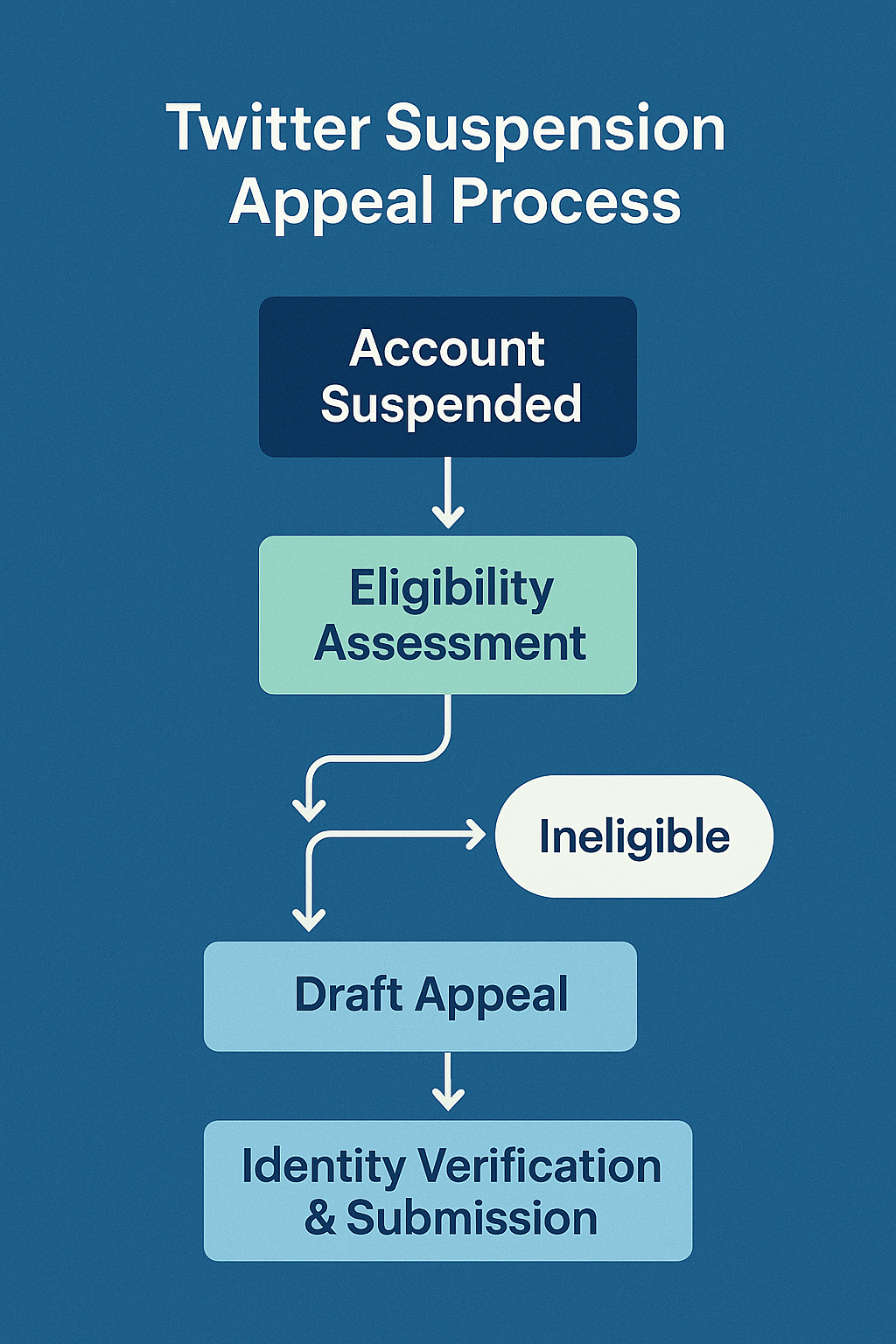
Open YouTube Studio after submitting to view confirmation and the anticipated review timeline. YouTube sends an email notification with the appeal outcome. If accepted, you are directed back to your YouTube Studio dashboard with full access restored. If rejected, you are signed out after accepting the decision. The typical review period is 2 to 4 weeks, though copyright-related appeals involving legal review can extend to 8 weeks.
Our policies are designed to evolve over time, and appeals are evaluated based on how our policies apply at the time of the appeal.
— YouTube Official Help Center
How to Get Unbanned From YouTube for Copyright Strikes
If your channel was terminated due to copyright infringement claims, the standard appeal process does not apply. Instead, you must file a DMCA counter-notification — a legal process that is fundamentally different from a Community Guidelines appeal. YouTube is required by law to process valid counter-notifications within specific timeframes.
Filing a DMCA Counter-Notification
The counter-notification webform is inaccessible for terminated channels, so you must submit via email to [email protected], fax, or postal mail. Your counter-notification must include your full legal name and physical address, identification of the content removed, a statement under penalty of perjury that you believe the content was removed in error, your consent to the jurisdiction of the federal court in your district, and your electronic or physical signature.
What Happens After Filing
YouTube forwards your counter-notification to the original claimant. The claimant then has 10 business days to file a court action against you. If no court action is filed within that window, YouTube is required to restore the content and remove the associated strike. Three successful counter-notifications can reverse a copyright termination entirely. You can also contact the claimant directly to request a retraction of their claim, which is often faster than the formal legal process.
For complex copyright disputes involving multiple claimants or international rights holders, professional services that specialize in DMCA takedowns and counter-notifications can navigate the legal process more efficiently. Your Supplier Guy handles YouTube copyright recovery cases with a documented 89% resolution rate within 30 days.
YouTube's Second Chance Program — A New Path Back
In October 2025, YouTube launched the Second Chance program, the most significant policy change in the platform's 20-year history regarding banned creators. For the first time, previously terminated creators can apply for a brand-new YouTube channel — even if their original appeal was rejected.
How the Second Chance Program Works
Eligible creators see a "Request a New Channel" option when they log into YouTube Studio on desktop using their previously terminated account. If approved, creators start fresh with a new channel — subscribers, content, and watch history from the original channel are not transferred. However, you can re-upload any prior videos that comply with current Community Guidelines. There are no monetization restrictions on new Second Chance channels; you can apply for the YouTube Partner Program once your new channel meets the standard eligibility criteria of 1,000 subscribers and 4,000 watch hours.
Who Is Eligible?
The program has specific exclusions. Creators terminated for copyright infringement are not eligible. Creators who violated YouTube's Creator Responsibility policies — which cover actions intending to cause malicious harm, abuse, violence, cruelty, or fraudulent behavior leading to real-world harm — are also excluded. Creators who voluntarily deleted their channel or Google account cannot see the request option. Additionally, YouTube requires a minimum waiting period of one year after the termination date before you can apply.
Evaluation Criteria
YouTube reviews Second Chance applications on a case-by-case basis considering several factors: the severity and frequency of past violations, whether the creator's on- or off-platform activity harmed or may continue to harm the YouTube community, and whether channels that endanger children's safety were involved. The program explicitly extends to creators previously banned for violations of now-retired policies regarding COVID-19 misinformation and 2020 U.S. election integrity content.
We know many terminated creators deserve a second chance — YouTube has evolved and changed over the past 20 years, and we've had our share of second chances to get things right with our community too.
— YouTube Official Blog, October 2025
Alternative Escalation Channels That Actually Work
If the standard appeal process through YouTube Studio is not progressing, or if you need faster resolution, several alternative escalation methods have proven effective. These channels are particularly valuable when automated review systems have made an error, as they connect you with human reviewers who can override automated decisions.
@TeamYouTube on X (Twitter): Public tweets to @TeamYouTube receive priority responses because they are visible to the public. Multiple creators have reported receiving initial replies within hours, compared to weeks for email-based support. Include your Channel ID and a brief, professional description of the issue. This method works because social media teams operate independently from the standard appeals queue.
YouTube Support Forums: The official YouTube Help Community is monitored by YouTube Product Experts and occasionally by Google staff. Detailed, well-documented posts can attract attention from moderators who can escalate your case internally. Posts with specific Channel IDs and clear policy references receive faster attention than vague complaints.
Creator Support (Partner Program members): If your channel was in the YouTube Partner Program before termination, you may still have access to Creator Support through the YouTube Studio help interface. This direct support channel offers faster response times and human review. For similar platform ban situations across other social networks, professional services maintain relationships with platform support teams that enable priority escalation.
Self-Appeal vs. Professional Recovery — Which Works Better?
The decision between handling your YouTube unban yourself or engaging a professional recovery service depends on the complexity of your case, the value of your channel, and how quickly you need the resolution. Here is a direct comparison based on documented outcomes from platform recovery data.
For channels generating monthly revenue above $500, or channels with subscriber counts above 10,000, the return on investment for professional recovery is typically immediate. The difference between a 2-week downtime and a 72-hour recovery can represent thousands of dollars in lost ad revenue, sponsorship income, and audience attrition. Professional services also preserve your limited appeal attempts by ensuring the first submission is optimized — a critical factor since YouTube limits the number of appeals per termination. For cases involving similar bans on TikTok or Telegram, the same professional approach delivers consistent results across platforms.
What Mistakes Get YouTube Appeals Rejected?
Knowing what to avoid is as important as knowing what to include. These are the most common errors that lead to appeal rejections, based on analysis of hundreds of YouTube recovery cases handled by professional services in 2025.
Writing emotional or angry appeals: YouTube's review team processes thousands of appeals daily. Emotional language, threats, or accusations reduce your credibility. A factual, evidence-based explanation receives significantly more consideration than a complaint about unfairness. Stick to specific policy references and concrete evidence.
Failing to address the specific violation: Generic appeals stating "I didn't do anything wrong" without addressing the exact violation cited in the termination notice are almost always rejected. Your appeal must directly reference the specific guideline YouTube cited and explain precisely why the content did not violate that policy or how you have corrected the issue.
Using your custom URL instead of Channel ID: Your Channel ID is the alphanumeric string in your channel URL (starting with UC), not your custom @handle. Many creators submit appeals with the wrong identifier, causing delays or automatic rejection. Check your termination email for the correct Channel ID or find it in your YouTube Studio URL.
Submitting multiple appeals simultaneously: Filing several appeals in quick succession flags your case as spam and can result in automatic rejection. Submit one well-crafted appeal and wait for the response before taking further action. YouTube limits the total number of appeals per termination, so each submission must count.
Ignoring the 1-year deadline: Creators have up to 1 year from the termination date to submit an appeal. After this window closes, the standard appeal option disappears entirely. If you are approaching this deadline, either file immediately or engage a professional service that can expedite the process. The Second Chance program becomes available after this window, but it only grants a new channel — not restoration of your original one. Related platform recovery processes follow similar time constraints; for example, Instagram account appeals and X/Twitter account recovery also have specific windows.
What to Do After Getting Your YouTube Account Unbanned
Once your channel is reinstated, taking specific protective measures prevents future terminations. YouTube's system flags previously terminated channels for closer monitoring, making compliance even more critical after recovery.
Audit all existing content: Review every video, thumbnail, description, and tag on your channel against current Community Guidelines. Policies evolve regularly — content that was acceptable when originally uploaded may now violate updated rules. Remove or edit anything that could trigger a new violation before YouTube's automated systems flag it.
Back up your entire video library: Download all videos using Google Takeout or YouTube Studio's download feature. Store copies on a dedicated external hard drive and a cloud backup service. If your channel were terminated again, you would lose access to all YouTube-hosted content. This is the single most important protective step and should be repeated monthly.
Enable 2-factor authentication: Protect your Google account with 2FA to prevent unauthorized access. Hijacked accounts that are used to upload spam or phishing content result in termination, and recovering a hacked-then-terminated channel is significantly more complex. Use a hardware security key for maximum protection, especially if your channel has monetization enabled.
Set up Content ID alerts: Monitor third-party claims against your content proactively. Responding to copyright claims before they become strikes is far easier than appealing after three strikes accumulate. YouTube's Copyright Match Tool, available to channels with strong track records, helps identify unauthorized use of your content on other channels — which is critical for protecting your own video content from being claimed by others.
Why Choose Professional YouTube Account Recovery?
Professional recovery services exist because the standard appeal process has a documented failure rate above 70% for self-filed appeals. Your Supplier Guy has recovered over 2,000 accounts across 15+ platforms with a 92% overall success rate, and YouTube channel recovery is one of our highest-demand services.
Optimized appeal drafting: Professional services know exactly which policy references, evidence formats, and language patterns receive favorable review from YouTube's team. Each appeal is crafted specifically for the violation type — Community Guidelines appeals require fundamentally different framing than copyright counter-notifications or Terms of Service disputes.
Multi-channel escalation: Beyond the standard Studio appeal, professional services simultaneously engage @TeamYouTube on X, YouTube Support Forums, Creator Support channels, and direct platform contacts built through years of relationship management. This multi-channel approach applies pressure from multiple directions and reduces the average resolution time from weeks to days.
Refund-backed guarantee: Your Supplier Guy provides a 72-hour refund guarantee on every recovery case. If we assess your case and determine recovery is not possible, you receive a full refund. This eliminates the financial risk entirely and ensures you only pay for results. Our team handles YouTube unbans alongside recovery cases for Telegram channels, TikTok accounts, Facebook pages, and Instagram accounts — giving us cross-platform expertise that standalone YouTube consultants cannot match.
For creators whose YouTube channels represent significant business assets — monetized channels, brand accounts, or channels integrated into broader marketing strategies — professional recovery delivers measurable ROI. The average monetized YouTube channel loses $47 per day of downtime, according to 2025 creator economy data. A 72-hour professional recovery versus a 4-week self-appeal can represent $1,300+ in preserved revenue on a mid-tier channel.
Frequently Asked Questions About Unbanning YouTube
How to get unbanned from YouTube after a permanent termination?
File an appeal through YouTube Studio within one year of termination. Log in, review the termination details, click Begin Review, complete verification, and submit a detailed explanation addressing the specific violation. If the appeal fails, apply for the Second Chance program after one year. Professional recovery services achieve up to 92% success rates by drafting optimized appeals and using escalation channels not available to individual creators.
How long does a YouTube ban appeal take?
YouTube typically reviews appeals within 2 to 4 weeks, though complex cases involving copyright disputes or repeated violations can take up to 8 weeks. You can check your appeal status in YouTube Studio at any time. Professional services often reduce this timeline to 24–72 hours through direct Creator Support access and multi-channel escalation strategies that bypass the standard review queue.
Can you get unbanned from YouTube for copyright strikes?
Yes, but the process differs from Community Guidelines appeals. You must file a DMCA counter-notification via email to [email protected], fax, or postal mail since the webform is inaccessible for terminated channels. The claimant then has 10 business days to file a court action. If no action is filed, YouTube must restore the content and remove the associated strike. You can also contact the claimant directly to request a retraction, which is often the fastest resolution path.
What is YouTube's Second Chance program?
Launched in October 2025, the Second Chance program allows previously terminated creators to apply for a new YouTube channel. Eligibility requires waiting at least one year after termination. The program excludes creators banned for copyright infringement, Creator Responsibility violations, or those who deleted their own accounts. Approved creators start fresh with a new channel and can re-upload compliant content. There are no restrictions on future monetization eligibility.
How to unban your YouTube account if the appeal is rejected?
If your appeal is rejected, you have several options: apply for YouTube's Second Chance program after one year, contact @TeamYouTube on X/Twitter for public escalation, post a detailed case on YouTube Support Forums, use a professional account recovery service with platform contacts, or consult a media attorney specializing in platform disputes. Professional services frequently succeed where self-appeals fail because they use optimized appeal language and direct escalation paths.
Does YouTube unban accounts automatically after a period of time?
No, permanent terminations do not expire automatically. Individual Community Guidelines strikes expire after 90 days, but a full channel termination requires an active appeal or Second Chance application. Without action from the creator, the ban remains indefinite. Temporary suspensions from individual strikes last 1 to 2 weeks depending on the strike count, and these do resolve automatically when the suspension period ends.
Can I create a new YouTube account after being banned?
Creating a new account after a termination violates YouTube's circumvention policy and risks immediate re-termination of the new channel. YouTube's systems detect account circumvention through IP addresses, device fingerprints, and linked Google accounts. The official options are appealing the termination or applying for the Second Chance program. Professional recovery services focus on restoring the original channel, preserving your subscribers, content library, and monetization eligibility.
How to unban a YouTube channel terminated for hate speech?
File an appeal through YouTube Studio explaining why the content was misidentified or how you have addressed the violation. Provide specific context showing the content was educational, satirical, documentary, or did not violate current policies as written. If the appeal fails, the Second Chance program may be available after one year, provided the violation was not classified as a Creator Responsibility breach involving real-world harm.
What evidence should I include in a YouTube appeal?
Include your Channel ID (the alphanumeric UC string, not your custom URL), a clear reference to the specific violation cited by YouTube, evidence that the termination was an error or that you have corrected the issue, timestamps of specific videos if applicable, and any contextual information showing the content complied with current Community Guidelines. Keep the explanation concise, factual, and professional — avoid emotional language or accusations.
How much does professional YouTube account recovery cost?
Professional YouTube account recovery services typically range from $200 to $1,500 depending on the ban type, complexity, and whether monetization recovery is included. Your Supplier Guy provides a free initial case assessment with a detailed strategy and quote within 2 hours, backed by a 72-hour refund guarantee if recovery is not achievable. For most creators, the cost is recovered within the first week of restored monetization revenue.
Conclusion — Take Action to Unban Your YouTube Channel Today
Getting unbanned from YouTube is achievable through the right combination of a well-crafted appeal, proper evidence documentation, and strategic use of escalation channels. The key steps are clear: identify your specific ban reason, file your appeal through YouTube Studio within the 1-year window, consider the Second Chance program if your initial appeal is rejected, and use alternative escalation channels like @TeamYouTube and the Support Forums to accelerate review.
For creators where self-appeals have failed or where the channel represents significant financial value, professional recovery services deliver a 92% success rate with 24–72 hour turnaround — compared to 15–30% success and 2–8 week timelines for self-filed appeals. Every day your YouTube channel remains banned costs subscribers, revenue, and audience trust that becomes harder to rebuild the longer the ban persists. Whether you choose to handle the appeal yourself using this guide or engage professional help, the most important step is to act now — the 1-year appeal window does not reset, and platform policies continue to evolve. Contact Your Supplier Guy for a free case assessment through Telegram or WhatsApp and receive a detailed recovery strategy within 2 hours.