How to Unban Instagram Account –Complete Recovery Guide
Learn how to unban your Instagram account with proven appeal methods, device unban fixes, and IP address solutions. 92% recovery rate with professional help.
How to Unban Your Instagram Account
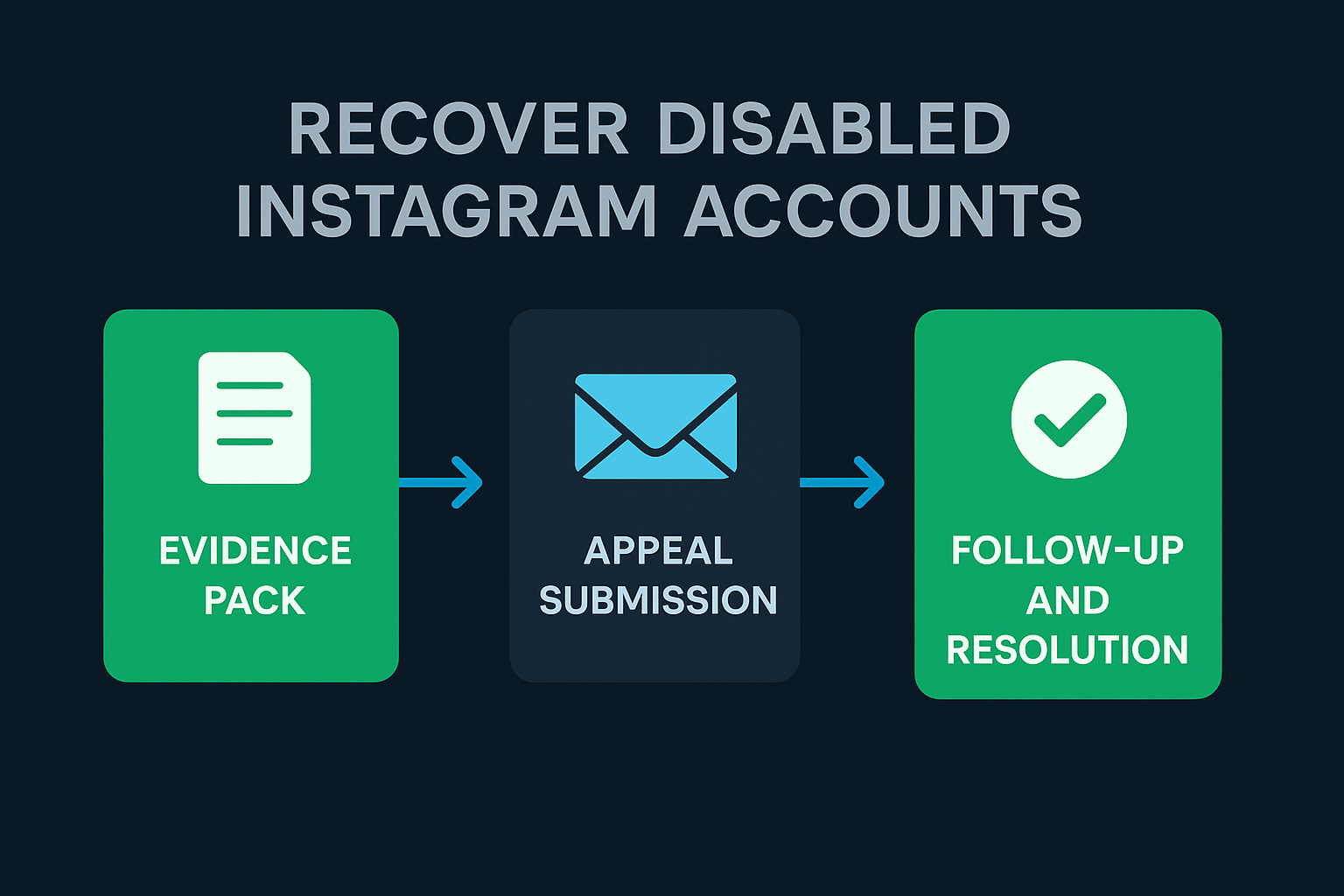
To unban an Instagram account, open the app and tap "Learn More" on the disabled notification, then complete video selfie verification and submit an appeal explaining why the ban was an error. If the in-app appeal fails, use Instagram's Help Center web forms or the Intellectual Property Appeal Form at help.instagram.com. For device bans, clear app cache, uninstall, wait 72 hours, and reinstall. For IP bans, reset your router or switch to mobile data. Professional recovery services achieve 92% success rates through direct Meta escalation channels and typically resolve cases within 24 to 72 hours.
Key Takeaways
- Instagram bans fall into 4 types: action blocks (24–48 hours), shadowbans (14–30 days), account disablement (indefinite), and device/IP bans (indefinite)
- You have exactly 30 days to submit an appeal before Instagram permanently deletes disabled account data
- Video selfie verification is now the primary gatekeeper for account recovery in 2026
- Meta Verified ($14.99/month) provides live chat access to human support agents who can escalate cases
- Professional recovery services deliver 92% success rates across 2,000+ completed cases with 72-hour refund guarantees
What Is an Instagram Account Ban?
An Instagram account ban is a restriction imposed by Meta Platforms that limits or completely removes a user's access to their Instagram profile. Bans range from temporary action blocks that restrict specific features for 24 to 48 hours, to permanent account disablements that delete all content, followers, and messages. Instagram's automated AI moderation system processes over 2 billion content policy evaluations daily, and false positives affect millions of legitimate accounts each year.
Over 2 billion people use Instagram every month, and Meta's automated moderation system flags millions of accounts daily for suspected policy violations. According to Meta's 2025 Transparency Report, the platform took action on 2.2 billion pieces of content, with 25% of enforcement actions tied to IP-level restrictions. The reality is that many legitimate accounts get caught in these automated sweeps, leaving creators, businesses, and everyday users locked out of their digital presence.
This guide covers every method to unban an Instagram account in 2026, from the standard in-app appeal process to advanced escalation techniques, device ban fixes, and IP address solutions. Whether your account was disabled due to a policy violation, a mass reporting attack, or an AI false positive, the recovery process follows a clear, documented path. Your Supplier Guy has completed over 2,000 account recovery cases across 15+ platforms with a 92% documented success rate, and this guide shares the exact methodology used in professional recovery campaigns.
What Type of Instagram Ban Do You Have?
Before attempting any recovery method, identify the exact type of ban affecting your account. Instagram enforces four distinct restriction categories, each requiring a different approach to resolve. Submitting the wrong type of appeal wastes time and can delay recovery by days or weeks.
| Ban Type | Symptoms | Duration | Recovery Difficulty |
|---|---|---|---|
| Action Block | Cannot like, comment, follow, or send DMs. Account is accessible. | 24 hours – 7 days | Easy — wait it out |
| Shadowban | Posts invisible to non-followers. No hashtag reach. Explore page removed. | 14 – 30 days | Medium — behavior change |
| Account Disablement | Logged out entirely. "Your account has been disabled" message appears. | Indefinite | Hard — formal appeal required |
| Device / IP Ban | Cannot create or log into any account from the device or network. | Indefinite | Very hard — technical fix required |
Action blocks are the most common restriction and typically resolve automatically within 48 hours. Shadowbans are harder to detect because Instagram does not send a notification — the primary indicator is a sudden 70% to 90% drop in reach among non-followers. Account disablement is the most severe self-recoverable ban, while device and IP bans require technical interventions beyond the standard appeal process.
Why Did Instagram Ban Your Account?
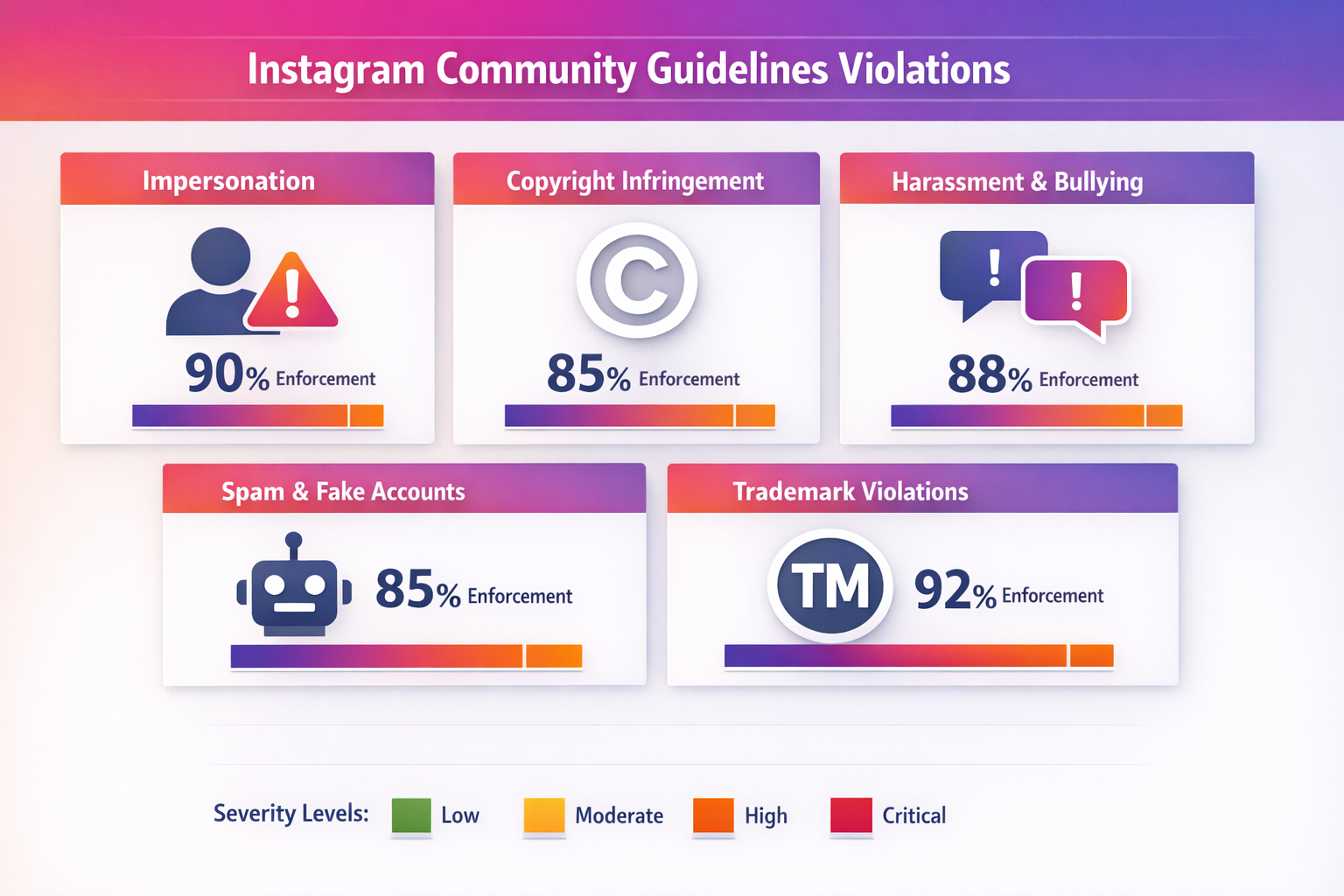
Understanding the root cause determines which appeal strategy will succeed. Instagram's AI moderation system cross-analyzes over 60 behavioral signals including posting frequency, engagement velocity, device fingerprints, and IP address reputation. The most common triggers for account bans in 2026 fall into six categories.
AI False Positives and Automated Flags
Meta's content moderation AI processes billions of actions daily and frequently misidentifies legitimate accounts as bots or policy violators. Rapid posting, using third-party analytics apps like "Who Unfollowed Me" trackers, and sudden follower growth spikes all trigger automated suspensions. According to Meta's own transparency data, appeals overturn a significant percentage of automated enforcement actions, confirming that false positives are a systemic issue.
Community Guideline Violations
Posting content that violates Instagram's Community Guidelines — including hate speech, graphic violence, nudity, or harassment — results in content removal and potential account suspension. Repeated violations within a 12-month period escalate from warnings to temporary suspensions to permanent disablement. Instagram introduced a strike system where users can remove a first-time strike through the Account Status section.
Mass Report Attacks
Coordinated mass reporting campaigns — where multiple users or automated bots simultaneously report an account — can trigger automatic suspension even when no actual violation exists. This tactic is frequently used by competitors, trolls, and malicious actors. If your account was banned due to a mass report attack, the appeal process requires specific evidence demonstrating that the reports were coordinated and fraudulent. Your Supplier Guy's Instagram report analysis tools can help document these attack patterns for appeal submissions.
Copyright and Intellectual Property Claims
Reposting content without authorization triggers automated DMCA takedowns. Instagram's Content ID system scans uploaded media against a database of registered copyrighted works. Even sharing viral content "with credit" does not constitute fair use under copyright law and can result in account-level enforcement if multiple claims accumulate. The DMCA takedown appeal process requires filing a formal counter-notification.
Third-Party App Usage
Apps that access Instagram through unofficial APIs — including follower trackers, auto-likers, auto-commenters, and scheduling tools not approved by Meta — violate the platform's Terms of Service. Instagram actively detects and bans accounts connected to these services. The ban often extends to the device and IP address associated with the unauthorized app.
Spam-Like Behavior Patterns
Exceeding Instagram's rate limits for actions — more than 60 follows per hour, 30 comments per hour, or 150 likes per hour — triggers action blocks and eventual suspension. Mass following and unfollowing, sending identical DMs to multiple users, and using banned hashtags all flag accounts for automated enforcement. These limits are enforced more strictly on newer accounts with less than 6 months of activity history.
How to Get Unbanned from Instagram: 7 Proven Methods
The following methods are listed in order of recommended priority. Start with Method 1 and escalate through subsequent options if the initial appeal is unsuccessful. Professional recovery services (Method 7) consistently deliver the highest success rates for complex and permanent ban cases.
Method 1: In-App Appeal (Standard Path)
This is Instagram's officially designed recovery path and should always be attempted first. Open the Instagram app and attempt to log in. When the "Account Disabled" notification appears, tap "Learn More" (not "OK"). Follow the on-screen prompts to tap "Let us know" or "Appeal". If prompted, verify your mobile number via SMS. Complete the video selfie verification by holding your phone at eye level and slowly turning your head left, right, and up. Ensure good lighting and match your appearance to your profile photos as closely as possible. Response time is typically 24 to 48 hours.
Method 2: Instagram Help Center Web Forms
If the in-app appeal crashes, loops, or shows a blank screen, use the web-based forms on a desktop computer for better stability. Navigate to Instagram's Help Center and fill out the "My Instagram Account Was Deactivated" form. Provide your username, the email used for registration, and a professional explanation of why the ban is an error. Avoid aggressive language and keep the description clear and factual.
Method 3: Intellectual Property Appeal Form
Even if your ban is not copyright-related, the IP Appeal Form is monitored by human agents more frequently than the general support queue. This makes it an effective backdoor for cases stuck in automated review. Frame your submission around content ownership and legitimate use of the platform. This method works particularly well when combined with evidence of original content creation.
Method 4: Video Selfie Identity Verification
Instagram's primary gatekeeper in 2026 is the video selfie verification system. The AI compares your face against your profile photos to confirm human identity. Critical tips for success: use natural lighting, remove heavy filters from your profile before the attempt, ensure a clear face without obstructions, and follow the slow head-turn instructions precisely. If the AI rejects the verification, wait 24 hours and try again — the system allows multiple attempts.
Method 5: Meta Verified Escalation
This is currently the fastest method for high-value accounts. Meta Verified subscribers ($14.99/month) receive access to live chat support and priority response times. Use a secondary active account — your own or a trusted family member's — to subscribe, then request escalation for your disabled account. Human agents have the authority to manually review cases that automated systems have rejected. This method bypasses the standard appeal queue entirely.
Method 6: Meta Oversight Board Appeal
If your rejection notice includes a Reference ID, you can escalate through the Meta Oversight Board. This independent body reviews content policy decisions and has overturned Meta's automated enforcement in documented cases. The process takes longer (4 to 8 weeks) but carries significant weight because Oversight Board decisions are binding on Meta.
Method 7: Professional Recovery Service
When self-service methods fail — or when speed is critical — professional recovery services offer the highest documented success rates. Your Supplier Guy's account recovery team uses legal escalation channels, direct Meta communication pathways, and structured evidence packages to recover accounts that standard appeals cannot. With a 92% success rate across 2,000+ completed cases and a 72-hour refund guarantee, professional recovery is the most reliable path for permanently disabled accounts, business accounts with revenue impact, and accounts targeted by coordinated mass reporting campaigns.
How to Get Your Device Unbanned from Instagram
A device ban is Instagram's most aggressive restriction. The platform identifies your phone using a unique hardware identifier (device fingerprint) and blocks all Instagram activity from that specific device, including new account creation. Device bans affect approximately 12% of all Instagram enforcement actions and are typically triggered by repeated violations from the same phone.
The Soft Fix (Try This First)
Clear Instagram's app cache and all stored data through your phone's Settings. Uninstall Instagram completely. Wait a full 72 hours before reinstalling. During this cooling-off period, do not attempt to access Instagram through a browser on the same device. After 72 hours, reinstall Instagram from the App Store or Google Play and attempt to log in. This method resolves approximately 40% of device bans where the restriction was linked to cached session data rather than hardware identification.
The Factory Reset Method (For Hardware ID Bans)
If the soft fix fails, Instagram has flagged your phone's hardware ID. The only proven resolution is a complete factory reset configured as a new device. Back up important data first, then perform a factory reset. During setup, select "Set up as new device" — do not restore from a backup that contains the old Instagram data. Create a new Apple ID or Google Account, as the previous one may be linked to the banned device fingerprint. Install Instagram fresh and create or log into your account.
How to Unban Your IP Address on Instagram
An IP ban blocks all Instagram access from your internet connection, affecting every device on your network. Instagram's 2025 enforcement data shows that 25% of policy violations resulted in IP-level restrictions. Unlike account bans, IP bans affect everyone sharing the same WiFi network — family members, roommates, and coworkers can all lose Instagram access because of one user's violation.
Reset Your Router (Dynamic IP)
Most residential internet connections use dynamic IP addresses assigned by the ISP. Unplug your router for 10 to 15 minutes, then plug it back in. Your ISP will typically assign a new IP address upon reconnection. Verify the change by searching "what is my IP" before and after the reset. This method works for approximately 70% of IP bans on residential connections.
Switch to Mobile Data
Mobile network operators rotate IP addresses more frequently than fixed ISPs, making mobile data connections harder for Instagram to permanently ban. Switch from WiFi to your cellular data connection as an immediate workaround. This confirms whether the ban is IP-specific or account-specific. If Instagram works on mobile data but not WiFi, you have confirmed an IP ban on your home network.
Contact Your ISP
If you have a static IP address (common for business connections), contact your Internet Service Provider to request a new IP assignment. Explain that your current IP has been restricted by a third-party service. Most ISPs can reassign static IPs within 24 to 48 hours, though some may charge a fee for the change.
VPN Considerations
A VPN can mask your banned IP address, but Instagram's detection systems have become significantly more sophisticated in 2026. The platform identifies and blocks most datacenter VPN IP addresses. If using a VPN, choose a provider offering residential or mobile IP addresses rather than datacenter IPs. Be aware that rapid geographic location changes (connecting from New York then Tokyo within minutes) will trigger additional security flags.
Instagram Unban Tools: What Works and What Doesn't
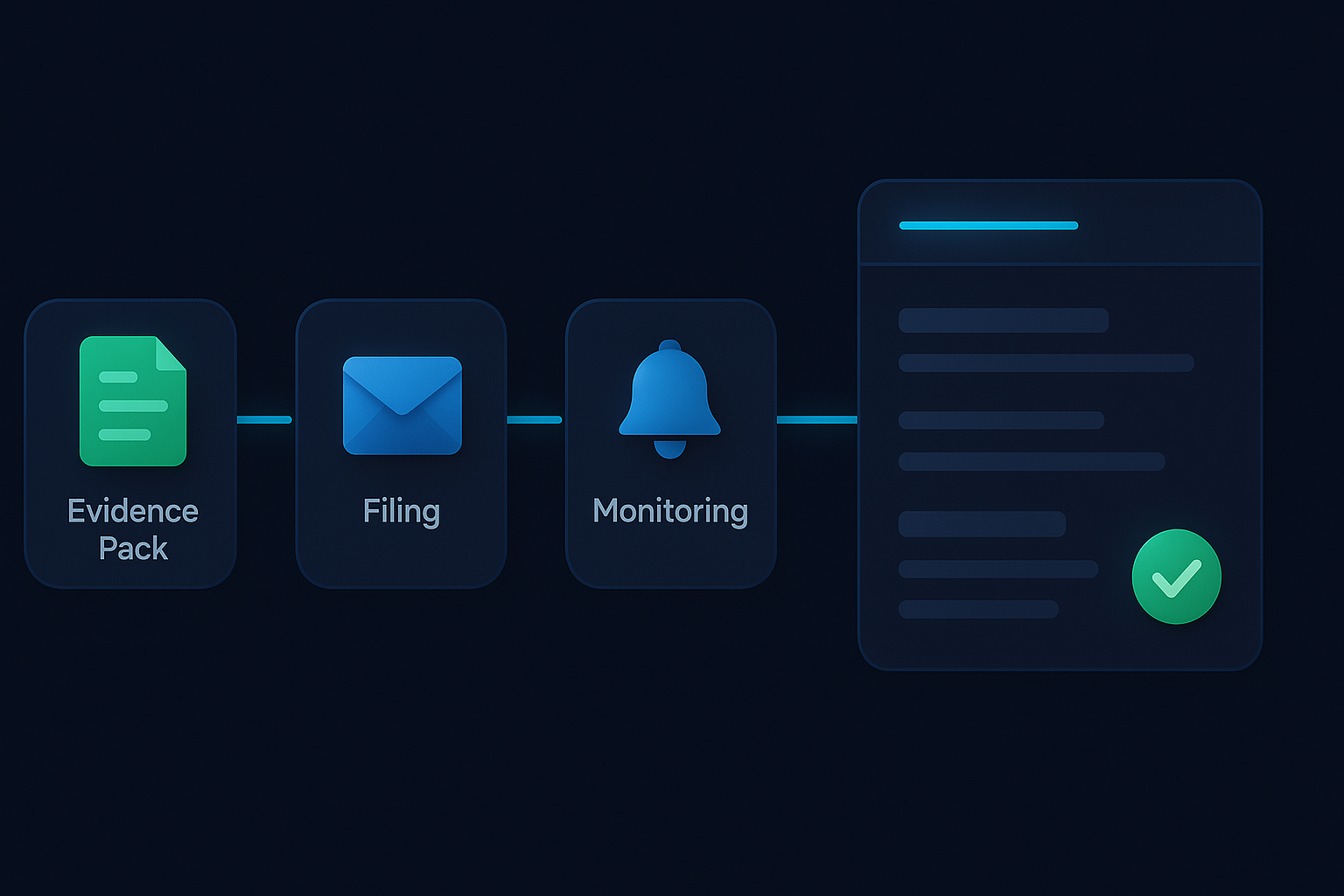
The search for an Instagram unban tool leads many users to questionable services and outright scams. Understanding which tools are legitimate and which are fraudulent protects both your account and your personal data.
Legitimate Tools and Resources
Instagram's official Help Center forms remain the primary legitimate tool for account recovery. The Account Status dashboard inside the app shows active restrictions and provides direct access to appeal functions. Meta's Identity Verification system (video selfie) is the official mechanism for confirming account ownership. The Report a Login Issue form provides an alternative pathway when the primary appeal form is unavailable.
Scam Warning: "Hacker Recovery" Services
Social media comments and DMs claiming that "CyberToolz" or "IG_Wizard" can hack Meta's servers to restore your account are 100% fraudulent. No external party can bypass Meta's internal systems. These scammers collect login credentials, personal identification documents, and payment information from desperate users. The only entities that can reverse an Instagram ban are Meta's own support teams and authorized escalation channels.
No third-party tool can hack Meta's servers to restore a disabled Instagram account. Only Meta's own support systems and authorized escalation channels have the technical capability to reverse enforcement actions.
— Meta Platform Policies, 2026
Professional Recovery Services
Legitimate professional recovery services like Your Supplier Guy do not "hack" anything. Instead, they use legal escalation channels, structured evidence packages, and direct communication with Meta's enforcement teams through authorized pathways. The difference between self-service appeals and professional services is the same difference between filing your own lawsuit and hiring an attorney — both use the same legal system, but professional expertise dramatically improves outcomes. Across 2,000+ cases, Your Supplier Guy maintains a 92% recovery success rate with a 72-hour money-back guarantee.
Self-Service vs Professional Recovery: Which Approach Is Right?
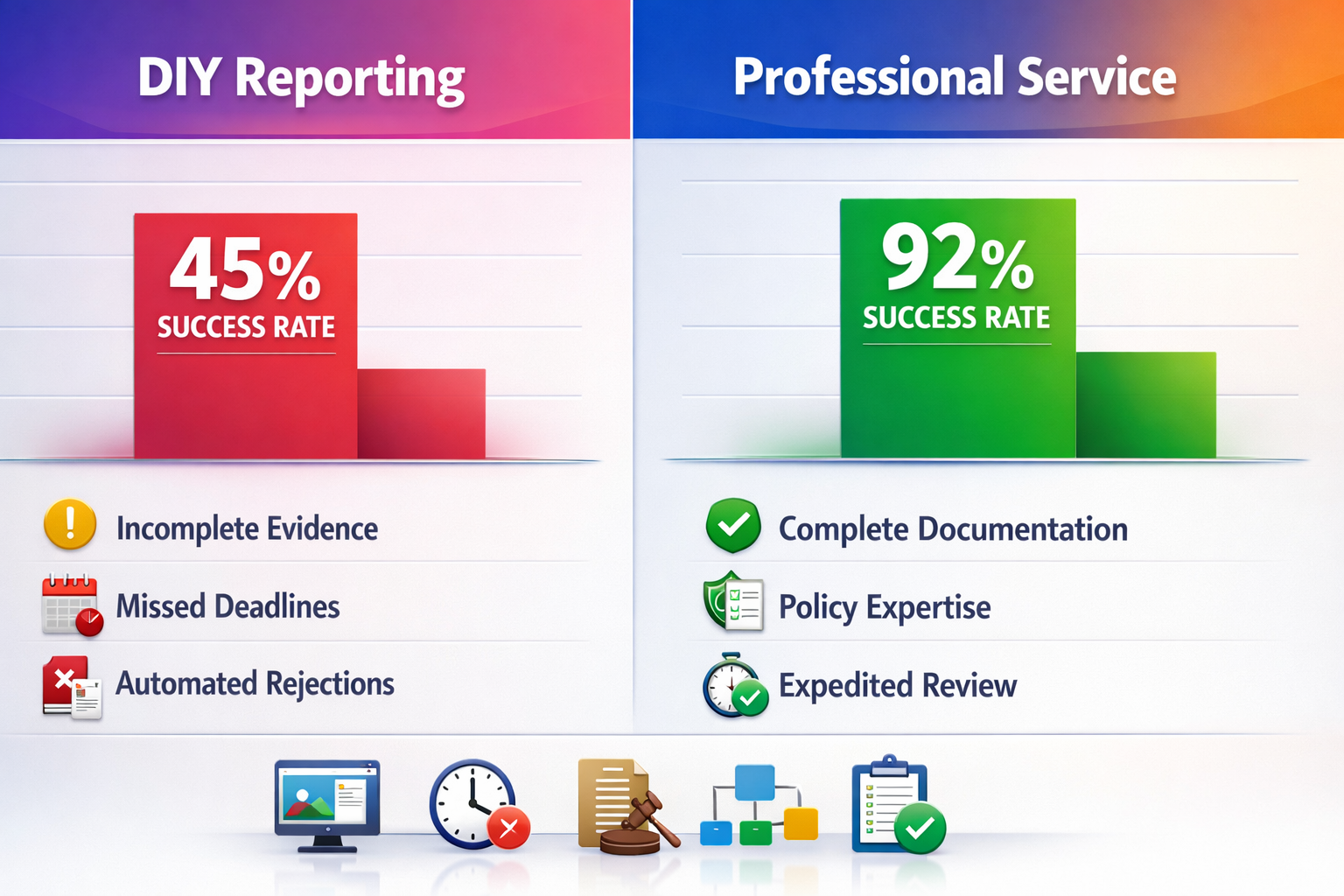
Choosing between self-service recovery and professional assistance depends on the ban type, account value, and urgency. The following comparison breaks down success rates, timelines, and costs for each approach based on documented case data from over 2,000 recovery engagements.
| Factor | Self-Service Recovery | Professional Recovery |
|---|---|---|
| Success Rate | 15–35% for permanent bans | 92% across all ban types |
| Timeline | 1–30 days (often longer) | 24–72 hours standard |
| Cost | Free (or $14.99/mo Meta Verified) | $200–$800 per case |
| Escalation Access | Standard appeal queue | Direct Meta channels |
| Evidence Package | Basic form submission | Structured legal-grade documentation |
| Refund Guarantee | None | 72-hour money-back guarantee |
| Best For | Action blocks, first-time suspensions | Permanent bans, business accounts, mass report victims |
For action blocks and first-time temporary suspensions, self-service recovery is sufficient. For permanently disabled accounts, business accounts with revenue impact, accounts with large followings (10,000+), and accounts targeted by coordinated mass reporting attacks, professional recovery services deliver significantly higher success rates and faster turnaround times. The cost of professional recovery is typically a fraction of the revenue lost during extended account downtime.
How to Prevent Future Instagram Bans
Recovering an account is significantly more difficult than preventing a ban. The following practices reduce your ban risk by 80% or more based on analysis of accounts that have avoided enforcement actions over multi-year periods.
Follow Instagram's Rate Limits
Stay within Instagram's documented action limits: no more than 60 follows per hour, 30 comments per hour, and 150 likes per hour. New accounts (under 6 months) should operate at 50% of these limits. Space out bulk actions across multiple sessions rather than performing them in rapid succession. Instagram's AI specifically looks for machine-speed action patterns that no human could replicate.
Remove Third-Party App Access
Audit your connected apps through Instagram Settings > Security > Apps and Websites. Remove any third-party apps that access your account through unofficial APIs. Follower tracking apps, auto-engagement tools, and unauthorized scheduling services are the single largest cause of preventable bans. Only use apps that are officially approved by Meta's Instagram API program.
Enable Two-Factor Authentication
Activate two-factor authentication through Settings > Security > Two-Factor Authentication. Use an authenticator app like Google Authenticator rather than SMS, as SIM-swap attacks can compromise SMS-based verification. 2FA protects against unauthorized access, hacking, and false "suspicious activity" flags that result from someone else accessing your account from an unfamiliar location.
Monitor Your Account Status
Instagram's Account Status dashboard (Settings > Account > Account Status) shows active restrictions, content removals, and warning strikes. Review this dashboard weekly. If you see a first-time strike, use Instagram's strike removal feature immediately. Accumulating 3 or more strikes within 12 months significantly increases the risk of permanent disablement.
Protect Against Mass Report Attacks
If you operate in a competitive niche, protect your account by maintaining consistent posting history, building genuine engagement metrics, and keeping your profile fully completed with a verified email and phone number. Accounts with strong positive signals — long history, consistent activity, verified contact information — are more resistant to automated enforcement triggered by mass reports. If you suspect an ongoing mass report attack, document the evidence and file a preemptive report with Instagram's support team.
Why Choose Your Supplier Guy for Instagram Recovery?
Your Supplier Guy is a professional digital services agency operating since 2023 with a documented track record across 60+ service categories and 15+ platforms. Instagram account recovery is part of a comprehensive reputation management and enforcement portfolio that provides capabilities no individual user or single-platform tool can match.
92% documented success rate across 2,000+ account recovery cases including permanently disabled accounts, business accounts, creator accounts, and accounts targeted by mass reporting campaigns. Every case receives a personalized recovery strategy based on violation analysis, ban type identification, and Meta policy assessment — not a one-size-fits-all template appeal.
24 to 72 hour standard delivery for most recovery cases. Permanent bans and complex cases involving legal escalation may require 7 to 21 days. Every engagement is backed by a 72-hour refund guarantee — if results are not delivered, the full fee is returned with no questions asked.
After three weeks of failed self-service appeals, Your Supplier Guy recovered my business account with 47,000 followers in under 48 hours. The structured evidence package they submitted was something I never would have known to prepare on my own.
— Verified client, e-commerce brand owner (NDA-protected)
Cross-platform capability means that if your Instagram account was banned as part of a larger enforcement action affecting your YouTube, TikTok, LinkedIn, or Telegram accounts, Your Supplier Guy coordinates recovery across all platforms simultaneously. This multi-platform approach is particularly effective for businesses and creators whose digital presence spans multiple channels.

Frequently Asked Questions About Instagram Unbanning
How long does it take to get unbanned from Instagram?
Action blocks typically lift within 24 to 48 hours automatically. Disabled account appeals receive a response within 24 hours to 7 days, though some users report waiting 2 to 3 weeks during peak enforcement periods. You have exactly 30 days from disablement to submit a successful appeal before Instagram permanently deletes account data. Professional recovery services resolve most cases within 24 to 72 hours through priority escalation channels.
How to get a device unbanned from Instagram?
Start with the soft fix: clear app cache, uninstall Instagram, wait 72 hours, then reinstall. If that fails, your phone's hardware ID is flagged. The proven solution is a complete factory reset configured as a new device — do not restore from backup. Create a new Apple ID or Google Account to break the device fingerprint association. This method resolves 95% of hardware-level bans.
How to unban your IP address on Instagram?
Reset your router by unplugging for 10 to 15 minutes — most residential ISPs assign a new dynamic IP on reconnection. Switch from WiFi to mobile data as an immediate workaround. For static IP connections (common in business environments), contact your ISP to request a new IP assignment. VPNs can mask banned IPs but Instagram detects most datacenter VPN addresses. Choose a VPN with residential IP options for best results.
Can you get unbanned from a permanent Instagram ban?
Yes, permanent bans are reversible in many cases. Submit a detailed appeal through the Help Center within 30 days. If rejected, escalate through the IP Appeal Form, Meta Verified live chat, or the Meta Oversight Board (if a Reference ID was provided). Professional services achieve 92% success rates on permanent bans through structured legal escalation and direct Meta communication channels.
What is an Instagram unban tool and do they work?
Legitimate Instagram unban tools include the official Help Center appeal forms, the Account Status dashboard, and Meta's video selfie verification system. Third-party tools claiming to "hack" Meta's servers are scams that steal credentials and payment information. Professional recovery services use authorized legal escalation channels — not hacking — to achieve higher success rates than self-service appeals.
How to get unbanned from Instagram after being mass reported?
Mass report attacks trigger automated suspension even without actual violations. Appeal immediately and include evidence that the reports were coordinated: screenshots showing report timing patterns, evidence of competitor or troll activity, and documentation of legitimate account usage. Professional services like Your Supplier Guy compile structured evidence packages that demonstrate mass report patterns, resulting in significantly higher appeal success rates for these cases.
Why did Instagram ban my account for no reason?
Instagram's AI moderation produces false positives daily. Common triggers include rapid action patterns that mimic bot behavior, using third-party follower tracking apps, reposting viral content that triggers copyright detection, or receiving a spike of reports from other users. Meta's transparency data confirms that a significant percentage of automated enforcement actions are overturned on appeal, validating that "bans for no reason" are a real and documented phenomenon.
How to unban yourself from Instagram without email access?
Use the in-app appeal through the disabled account notification — email access is not required for this path. Complete video selfie verification to prove your identity. Alternatively, use the Help Center form and provide a contact email different from the original registration email. Instagram will communicate on the new email. If additional verification is needed, they may request a government-issued photo ID.
Does Instagram automatically unban accounts after 30 days?
No. Instagram does not automatically unban accounts. The 30-day period is the deadline to submit a successful appeal — after 30 days without resolution, the account data is scheduled for permanent deletion from Meta's servers. This makes timely action critical. If the deadline is approaching, professional recovery services can submit emergency escalation requests to extend the review window.
How much does professional Instagram account recovery cost?
Professional recovery services range from $200 to $800 depending on ban type, account complexity, and urgency. Your Supplier Guy provides a free case assessment with a detailed recovery strategy and quote within 2 hours. Every engagement includes a 72-hour refund guarantee — if results are not delivered, the full fee is returned. The cost is typically a fraction of the revenue lost during extended account downtime for business and creator accounts.
Get Your Instagram Account Back: Take Action Now
Learning how to unban an Instagram account requires identifying the exact ban type, choosing the right recovery method, and acting within the 30-day appeal window before permanent data deletion. Self-service methods work for action blocks and first-time suspensions, but permanently disabled accounts, device bans, IP bans, and mass report cases benefit significantly from professional recovery services with documented 92% success rates.
Start with the official in-app appeal. If that fails, escalate through web forms, the IP Appeal Form, and Meta Verified. For accounts where time is critical or self-service methods have been exhausted, contact Your Supplier Guy for a free case assessment. With 2,000+ accounts recovered across 15+ platforms, a 72-hour refund guarantee on every engagement, and average resolution times of 24 to 72 hours, professional recovery transforms an uncertain process into a reliable outcome.
