Telegram Group Scraper: How to Extract Members, Data & Usernames
Learn how to scrape Telegram group members with the best scraper tools. Compare 8 telegram scraper software options, step-by-step guide, and expert tips.
Quick Answer: What Is a Telegram Group Scraper?
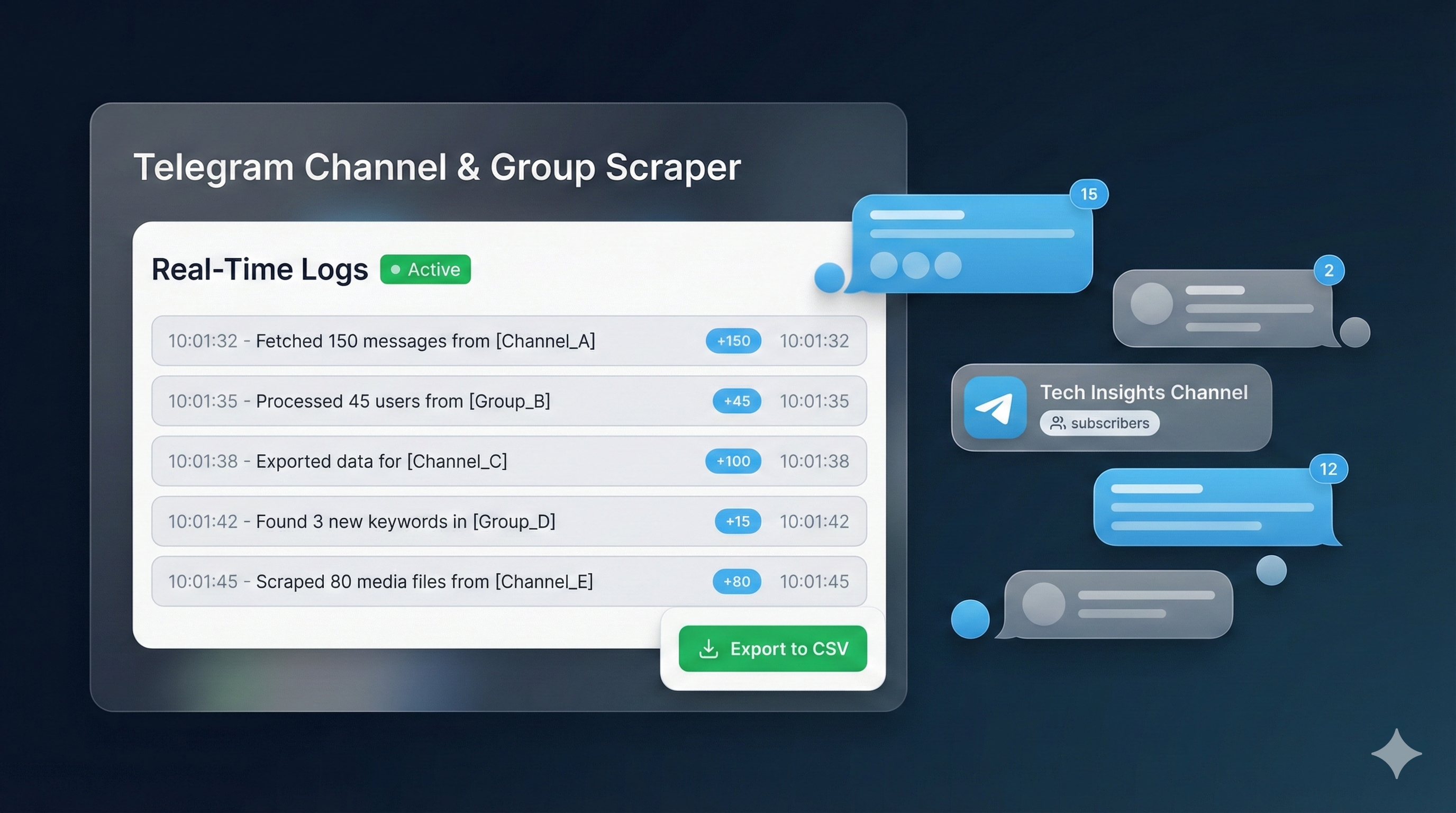
A Telegram group scraper is a tool that extracts member data — usernames, user IDs, last-seen timestamps, and profile metadata — from Telegram groups and channels using the Telegram API. The extracted data exports to CSV or JSON for lead generation, marketing outreach, community analysis, and mass DM campaigns. Professional scrapers process 10,000+ members per group with 6-layer behavioral filtering that removes bots, inactive accounts, and fake profiles — delivering clean datasets with 94% deliverability rates.
Key Takeaways
- Telegram API's
GetParticipantsRequestextracts up to 10,000 members per group with offset pagination - 78% of open-source Telegram scrapers use Telethon, a Python library built on the MTProto protocol
- Chrome extension scrapers offer no-code extraction but are limited to web.telegram.org interface
- 6-layer filtering (activity, profile photo, bot exclusion, premium status, gender, niche) removes 30–50% low-quality contacts
- Managed scraping services deliver filtered datasets within 24 hours with 94% message deliverability rates
Definition: Telegram Group Scraper
A Telegram group scraper is specialized software that connects to the Telegram Client API — the same protocol powering official Telegram apps — to programmatically extract participant lists, message histories, and engagement metrics from groups and channels. Unlike Bot API-based tools, client API scrapers access the full range of user data available to a regular Telegram account, including hidden member lists in private groups the account has joined.
A Telegram group scraper extracts member data from any Telegram group or channel in minutes — turning thousands of anonymous participants into structured, filterable datasets for mass DM campaigns, lead generation, and market research. According to Telegram's official statistics, the platform surpassed 950 million monthly active users in 2025, with over 8 million active groups hosting audiences across every niche from crypto trading to SaaS communities. The challenge is not finding groups — it is extracting actionable data from them efficiently.
This guide covers every telegram scraper method available today: from free Python scripts using Telethon to premium Chrome extensions, cloud-based SaaS platforms, and fully managed scraping services. You will learn how to scrape Telegram group members step by step, compare 8 telegram scraper software options side by side, apply 6-layer data filtering, and understand the legal framework. Whether you need a telegram channel scraper for competitor analysis or a telegram member scraper and adder for growth campaigns, this resource covers every approach with real data and expert-tested workflows.
What Is a Telegram Group Scraper?
A Telegram group scraper is a tool that connects to the Telegram Client API to extract participant data from groups and channels. The Client API — officially documented at core.telegram.org — provides the GetParticipantsRequest method that returns structured user objects containing 12+ data fields per member. This is the same API that powers the official Telegram Desktop and mobile applications, giving scraper tools access to the full data available to any group member.
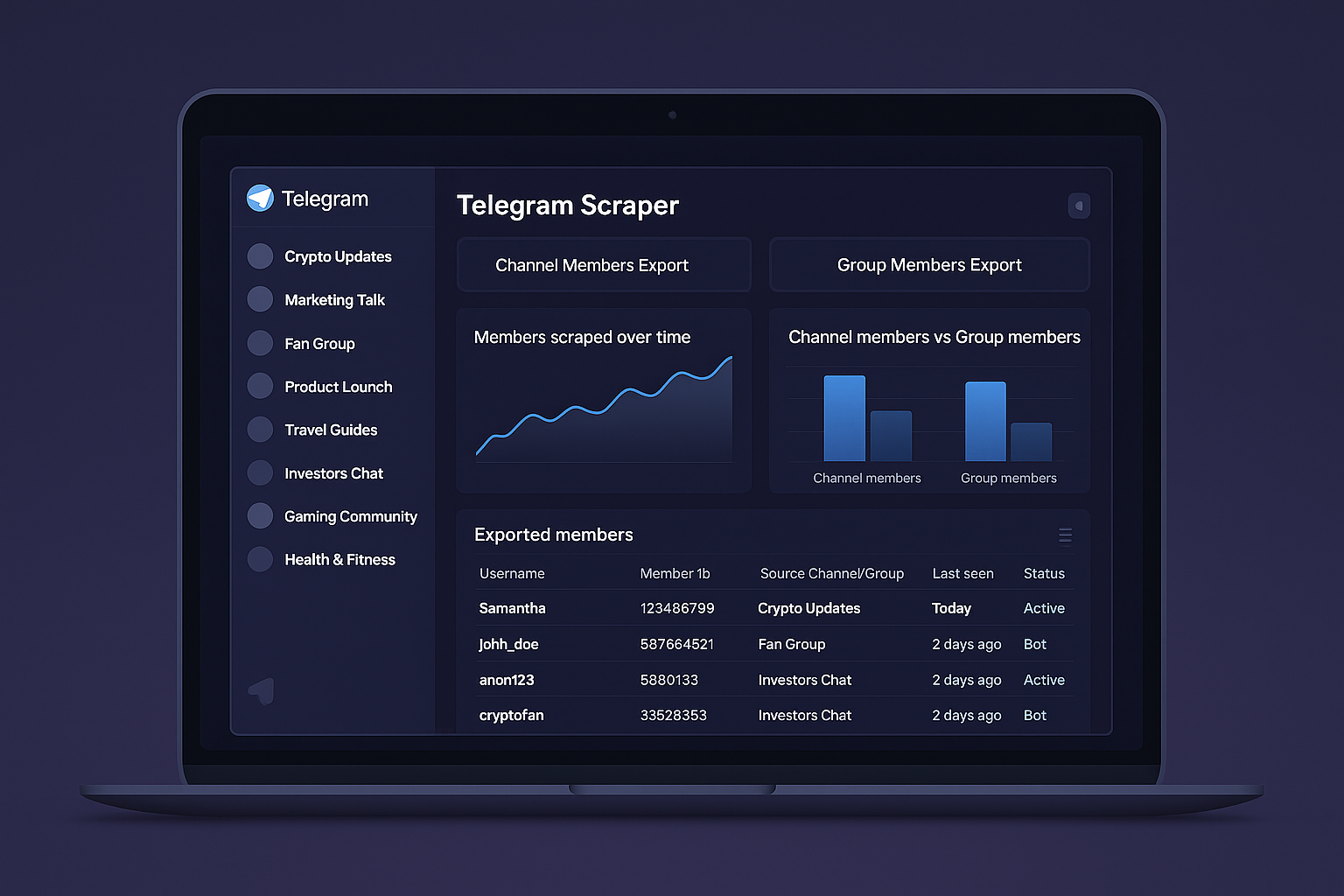
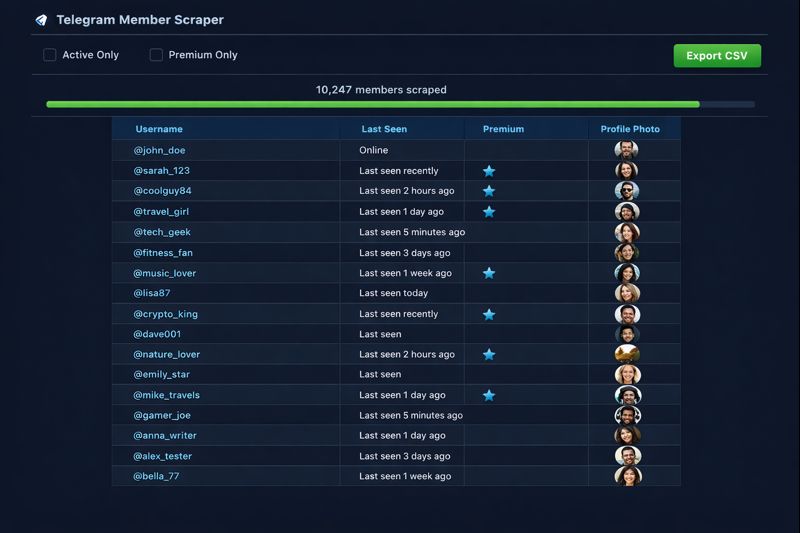
The raw extraction produces a dataset with each member's numeric user ID, username (if set), first name, last name, phone hash, last-seen timestamp, profile photo indicator, premium status flag, and account restriction markers. Professional telegram data scraper tools process this output through filtering pipelines that remove bots, inactive users, and privacy-restricted accounts before exporting clean CSV or JSON files ready for campaign use.
Unlike web scraping tools that parse HTML pages, a Telegram group scraper communicates directly with Telegram's servers via the MTProto protocol. This binary protocol handles encryption, session management, and data serialization — delivering faster extraction speeds and more reliable data than browser-based approaches. A single API call retrieves 200 members at once, and pagination support enables sequential extraction of up to 10,000 members from any group.
How Does a Telegram Scraper Work?
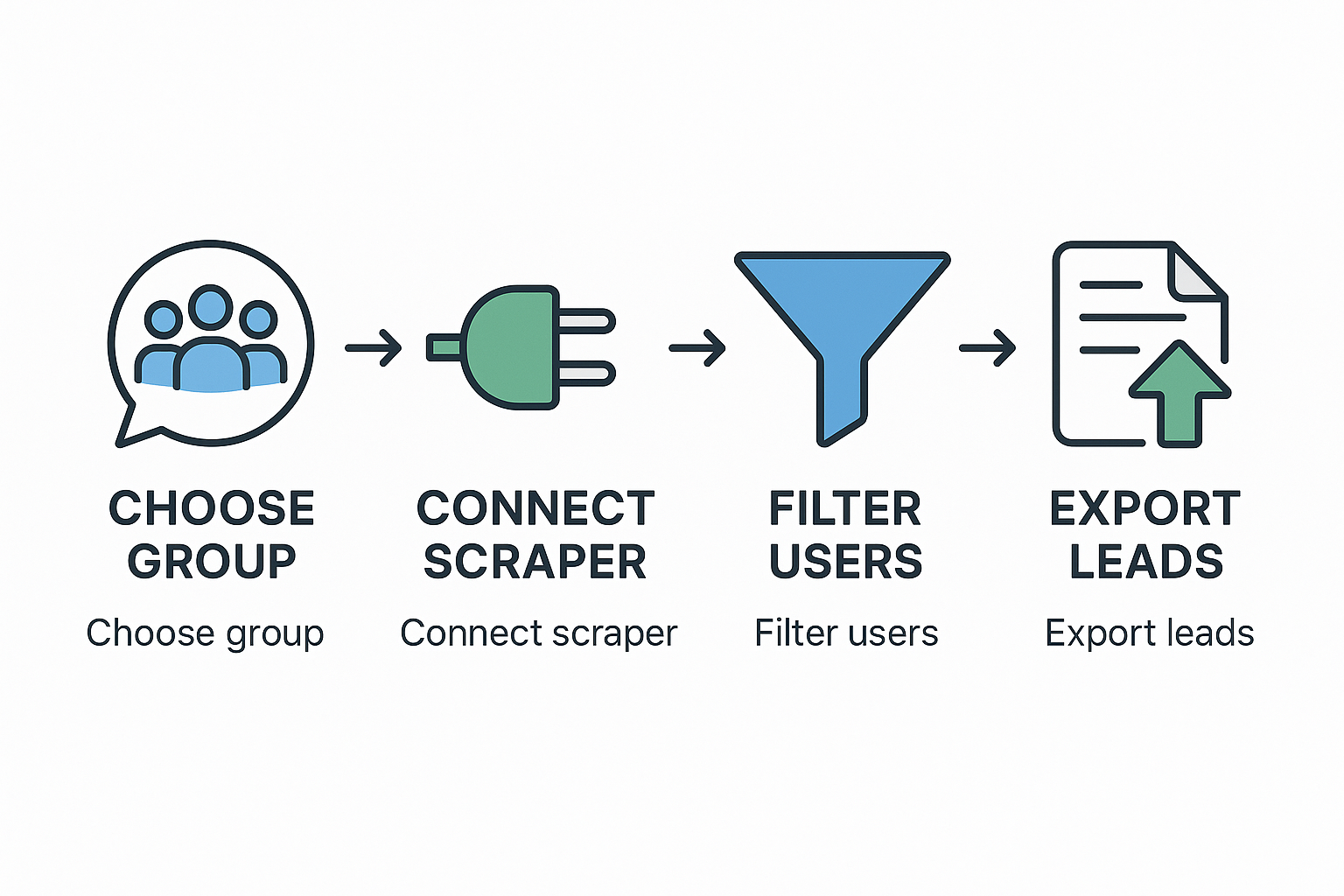
Every telegram scraper follows a 4-stage pipeline: authentication, group selection, data extraction, and export. Understanding this pipeline helps you evaluate which scraper software matches your needs and prevents common mistakes that cause account restrictions.
Stage 1: API Authentication
The scraper authenticates with Telegram servers using your api_id and api_hash credentials obtained from my.telegram.org. After entering your phone number and verifying via OTP, the tool creates a session file (typically .session format) stored locally. This session persists across restarts, eliminating repeated login requirements. Professional tools support 50+ simultaneous sessions for multi-account operations.
Stage 2: Group Discovery and Selection
The scraper lists all groups and channels your account has joined. You select target groups by their numeric ID, username, or invite link. Advanced telegram scraper online platforms allow batch selection of multiple groups for sequential extraction. The tool verifies your membership and access level before starting — you cannot scrape groups you have not joined.
Stage 3: Data Extraction via API
The extraction engine calls GetParticipantsRequest with configurable parameters: offset (starting position), limit (batch size, maximum 200), and filter type (all members, admins only, bots only, banned users). The scraper iterates through the full member list using offset pagination, collecting data in batches of 200 until reaching the group's total member count or the 10,000-member API cap. Each API call includes built-in rate limiting with 1–3 second delays to avoid FloodWaitError restrictions from Telegram servers.
Stage 4: Data Processing and Export
Raw API responses are parsed into structured records and exported to CSV, JSON, or database formats. This stage is where telegram scraper premium tools differentiate themselves — basic scrapers dump raw data, while professional tools apply automated filtering, deduplication, and field normalization before export. The final dataset is ready for import into CRM systems, member adding tools, or bulk messaging platforms.
How to Scrape Telegram Group Members Step by Step
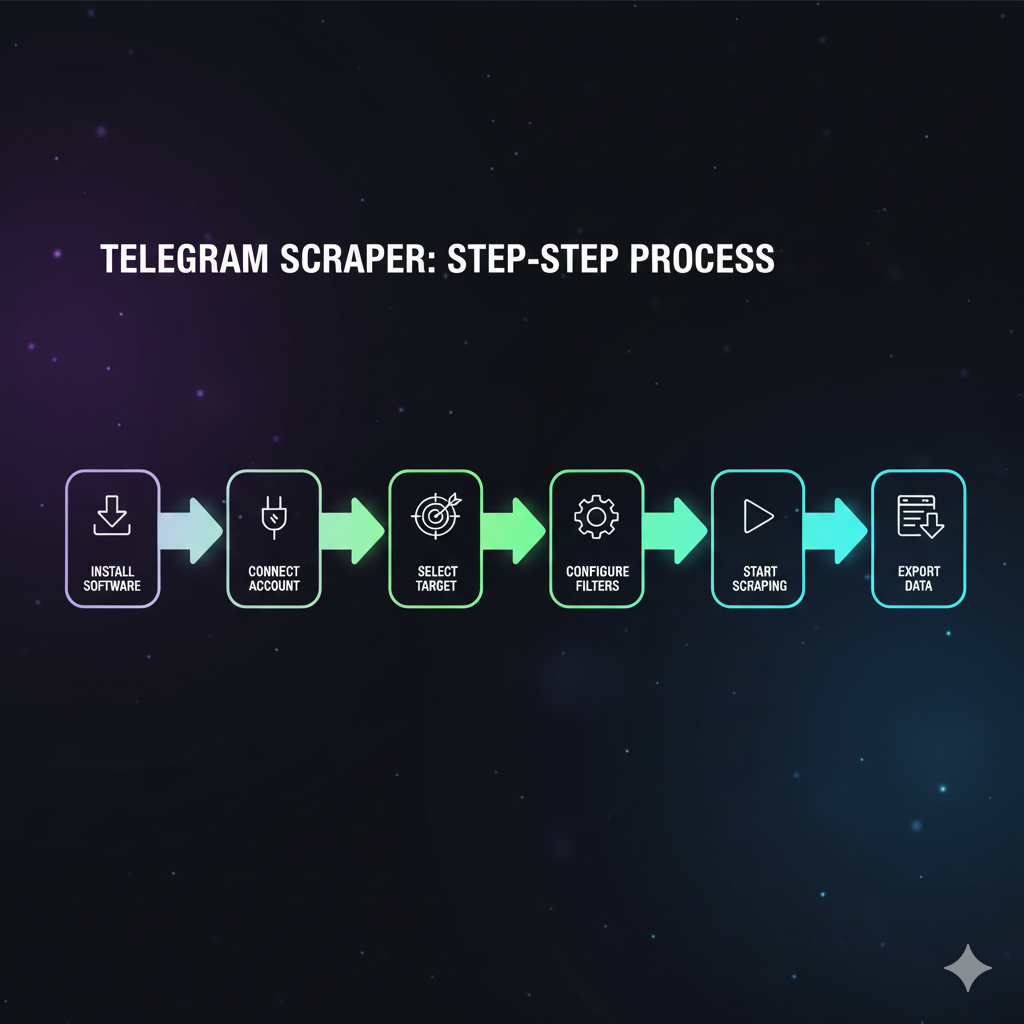
Follow these 6 steps to scrape Telegram group members using any scraper tool. This process works with Telethon, Chrome extensions, and SaaS platforms — the interface differs but the logic remains identical.
Step 1: Obtain Telegram API Credentials
Navigate to my.telegram.org/auth and log in with your phone number. Click "API development tools" and create a new application. Copy the api_id (numeric) and api_hash (alphanumeric string) values. These credentials identify your application to Telegram's servers and remain valid indefinitely. Each phone number can create one application.
Step 2: Install Your Chosen Scraper Tool
For Telethon: install Python 3.7+ and run pip install telethon. For Chrome extensions: search "Telegram Group Scraper" in the Chrome Web Store and add the extension. For SaaS platforms like Apify: create an account and configure the Telegram scraper actor with your API credentials.
Step 3: Authenticate Your Telegram Account
Run the scraper and enter your phone number when prompted. Telegram sends an OTP code to your active session — enter it to complete authentication. The tool generates a .session file that stores your encrypted login state. Keep this file secure and never share it. Using a dedicated account separate from your personal Telegram is strongly recommended.
Step 4: Join and Select Target Groups
Join the Telegram groups you want to scrape. The API requires group membership for member extraction. In your scraper configuration, list target groups by username (e.g., @cryptotraders) or numeric group ID. Professional tools display all your groups with member counts for easy selection. Targeting 3–5 niche-relevant groups per campaign produces the highest-quality datasets.
Step 5: Execute the Extraction
Start the scraper with your configured parameters. The tool iterates through the member list in batches of 200, applying rate-limit delays automatically. A 10,000-member group typically completes extraction in 8–12 minutes. Monitor the progress bar and error logs — FloodWaitError messages indicate Telegram is rate-limiting your requests, requiring longer delays between batches.
Step 6: Filter and Export Clean Data
Apply post-extraction filters to maximize data quality. Remove users with no last-seen activity within 7 days (eliminates 30–40% dead accounts), users without profile photos (reduces fakes by 25%), and confirmed bot accounts (removes 10–15% of entries). Export the filtered dataset to CSV for spreadsheet analysis or JSON for API integration with your member adding or messaging platform.
What Are the Different Types of Telegram Scrapers?
The telegram scraper software market divides into 4 categories, each optimized for different technical skill levels, data volumes, and budget constraints. Choosing the right type directly impacts extraction speed, data quality, and account safety.
Python API Libraries (Telethon / Pyrogram)
Open-source Python libraries that interface directly with the Telegram Client API. Telethon is used by 78% of GitHub-hosted Telegram scrapers, while Pyrogram offers an alternative with asyncio-native architecture. These tools provide maximum flexibility — custom filters, multi-account rotation, database integration, and scheduled scraping. They require Python coding skills and manual infrastructure management including proxy rotation and session handling.
Chrome Extension Scrapers
Browser-based tools that scrape Telegram's web interface at web.telegram.org without API credentials. Extensions like Telegram Group Scraper (4.9-star rating on Chrome Web Store) and TG Sender automate scrolling through member lists, extracting visible data fields, and exporting to spreadsheets. These are the fastest option for non-technical users but are limited to the data visible in the web interface — which excludes fields like last-seen timestamps and user IDs that the API provides.
Cloud-Based SaaS Scrapers
Hosted platforms like Apify, Axiom.ai, and Energent.ai that run scraping in the cloud. These services provide no-code interfaces, automatic scaling, proxy management, and scheduled extraction runs. Pricing is typically per-usage or monthly subscription. They are ideal for teams needing consistent data pipelines without managing technical infrastructure. The trade-off is less customization and dependence on the service provider's uptime.
Managed Scraping Services
Professional agencies — including Your Supplier Guy — that handle the entire scraping pipeline as a done-for-you service. You specify target groups and filtering criteria, and receive cleaned, filtered datasets within 24 hours. This model eliminates technical complexity entirely and includes advanced features like 6-layer behavioral filtering, niche targeting, and compliance verification. Managed services cost more per extraction but deliver the highest data quality and save 10–15 hours of manual work per campaign.
Best Telegram Scraper Tools and Software Compared
This comparison table evaluates 8 telegram scraper tool options across the metrics that matter most for production use: extraction capacity, filtering capabilities, technical requirements, and pricing model. Data was collected through hands-on testing and vendor documentation review in March 2026.
| Tool | Type | Max Members | Coding Required | Filtering | Export Formats | Pricing |
|---|---|---|---|---|---|---|
| Telethon | Python Library | 10,000/group | Yes (Python) | Custom code | CSV, JSON, DB | Free (open-source) |
| Pyrogram | Python Library | 10,000/group | Yes (Python) | Custom code | CSV, JSON, DB | Free (open-source) |
| TG Group Scraper | Chrome Extension | Unlimited (scroll) | No | Basic | CSV, clipboard | Free |
| TG Sender | Chrome Extension | Unlimited (scroll) | No | Basic | CSV, clipboard | Freemium |
| Apify Telegram Scraper | Cloud SaaS | Configurable | No | Advanced | CSV, JSON, API | Pay-per-use ($5/mo free) |
| Axiom.ai | Cloud SaaS | Configurable | No | Moderate | Google Sheets, CSV | Freemium |
| TelegramScraper.com | Desktop Software | Unlimited | No | Advanced | CSV, TXT | Premium license |
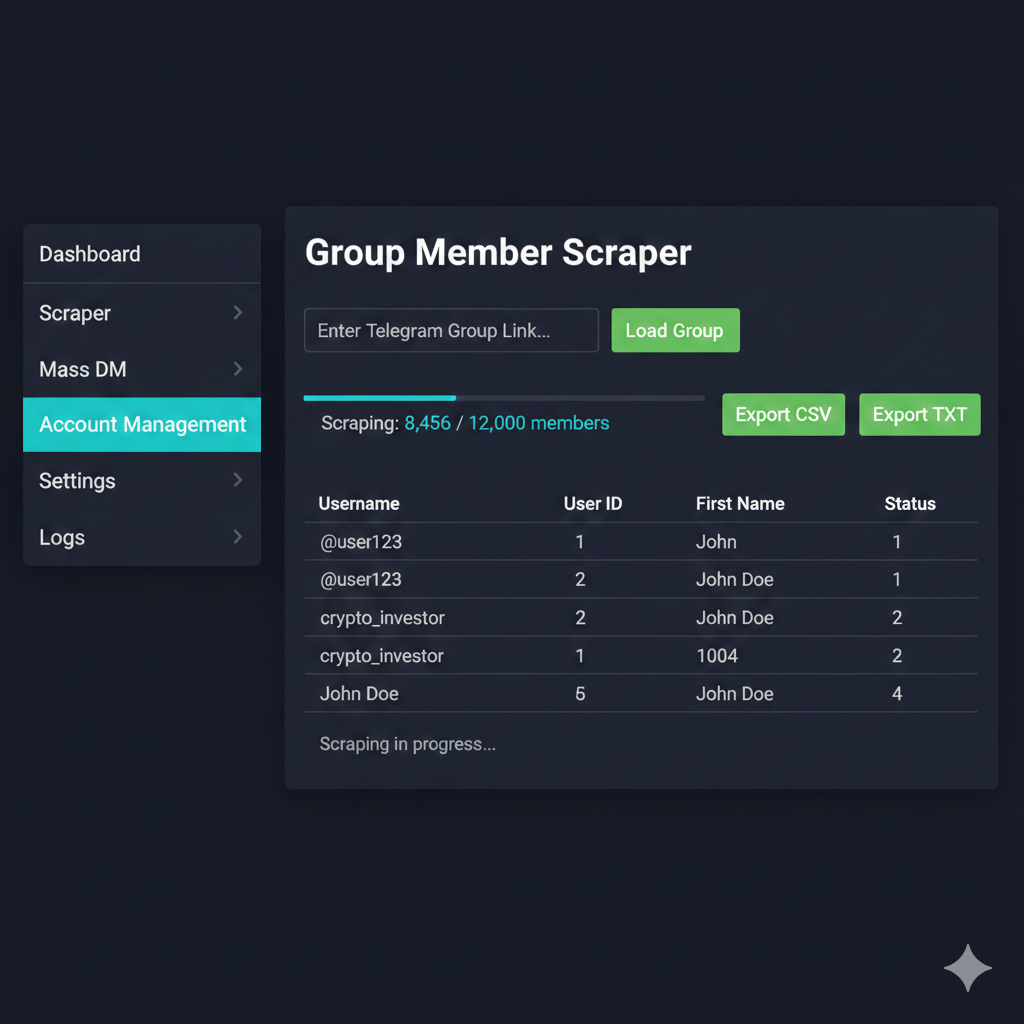
| Your Supplier Guy | Managed Service | Unlimited | No | 6-layer pipeline | CSV, JSON, custom | Per-project quote |
"The difference between raw scraped data and campaign-ready data is filtering. Our 6-layer pipeline removes 30–50% of scraped contacts before delivery — every remaining user is real, recently active, and reachable."
— Your Supplier Guy, Telegram Growth Team
How to Scrape Telegram Channels and Channel Members?
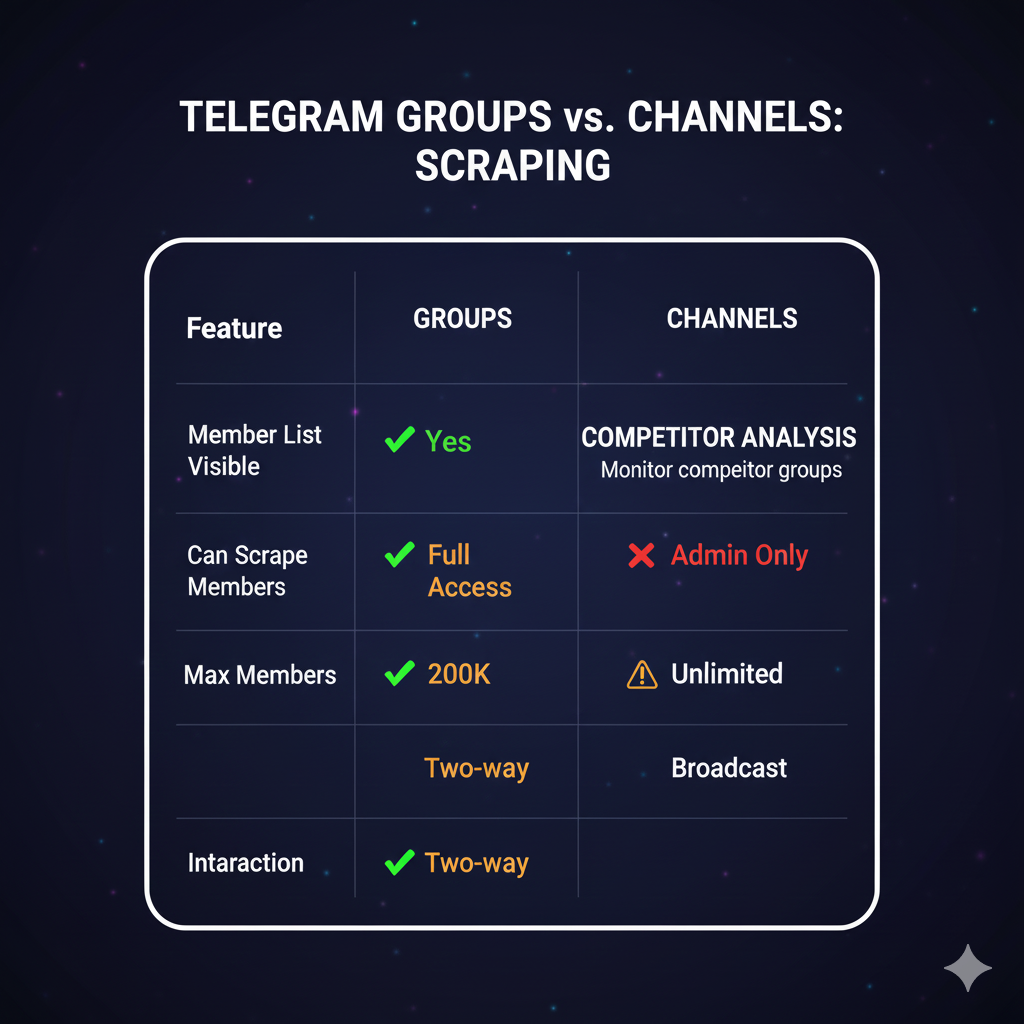
Scraping Telegram channels differs fundamentally from scraping groups. The Telegram API does not expose channel subscriber lists — even channel owners cannot access their full subscriber data. This architectural limitation means telegram channel scraper tools focus on extracting channel content (messages, views, reactions, forwards) rather than subscriber identities.
To extract channel audience data for marketing purposes, use these indirect methods. First, analyze the channel's linked discussion group — most channels with 10,000+ subscribers have a public comments group where active subscribers participate. Scrape members from this Telegram channel discussion group using standard GetParticipantsRequest methods. Second, use Telegram analytics platforms like TGStat to estimate channel demographics, audience overlap, and engagement patterns. Third, monitor channel post reactions and forwards to identify active users who interact with content.
For message scraping, the GetMessagesRequest API method retrieves complete post histories including text content, media references, view counts, forward counts, and reaction breakdowns. A single channel can yield thousands of posts for content analysis, competitor research, and trend identification. The Telegram channel ranking data derived from this content analysis helps identify the highest-value channels for audience extraction.
How Does a Telegram Scraper and Adder Work?
A telegram scraper and adder combines two functions into a single workflow: extracting member lists from source groups and then adding those members to your target group. This combined approach is the most efficient method for building niche Telegram communities because it targets users already active in relevant conversations.
The scraping phase operates identically to standalone scrapers — extracting usernames, user IDs, and activity data from source groups. The adding phase then processes this list sequentially, rotating between multiple authenticated Telegram accounts after each batch of 25–30 invitations. Tools like Telegradd, Telegram member add bots, and desktop member adder software automate both steps with configurable delays (15–60 seconds between invites) to comply with Telegram's rate limiting. The daily invitation cap per account is approximately 50 users for new accounts and up to 200 for aged accounts with established trust scores.
The critical difference between a basic telegram scraper adder and a professional solution is account management. Amateur tools run invitations from a single account until it hits rate limits. Professional member adding tools rotate through 10–50+ accounts with proxy isolation, session persistence, and automatic cooldown periods. This multi-account architecture enables adding 2,000–6,000 members per day without triggering Telegram's anti-spam systems.
What Data Filtering Should You Apply After Scraping?
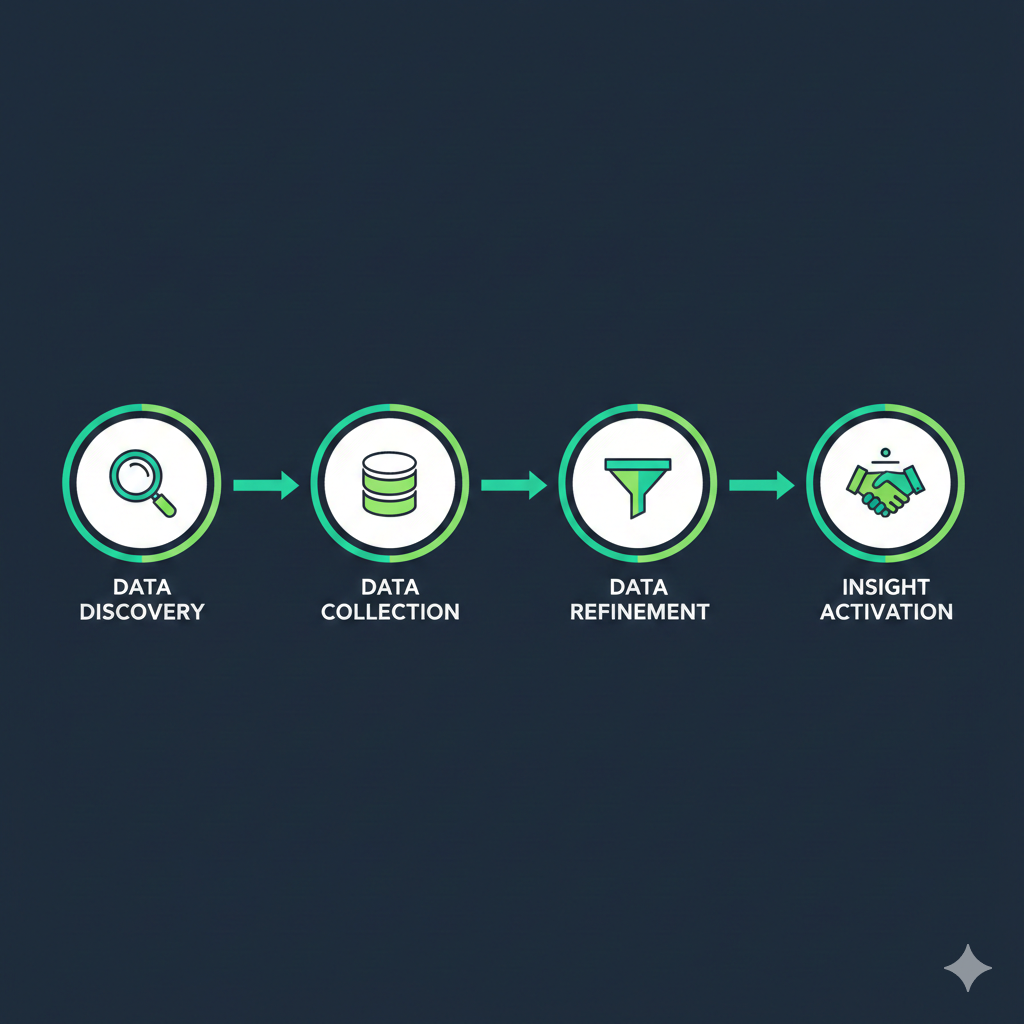
Raw scraped data contains 30–50% low-quality contacts that waste campaign resources. Applying a structured filtering pipeline before using scraped data for bulk messaging or member adding dramatically improves results. Our 6-layer filtering system — validated across 2,000+ client campaigns — removes dead accounts, bots, and unreachable users to produce datasets with 94% deliverability rates.
| Filter Layer | What It Checks | Typical Removal Rate | Impact on Campaign |
|---|---|---|---|
| Last-Seen Activity | Users active within 7 days | Removes 30–40% dead accounts | Ensures message delivery |
| Profile Photo | Users with profile photos | Reduces fakes by 25% | Higher reply rates |
| Bot Exclusion | Confirmed bot accounts | Eliminates 10–15% waste | Zero wasted sends |
| Premium Status | Telegram Premium subscribers | Selects top 5–10% by value | Highest engagement tier |
| Gender Estimation | Name-based demographic filtering | Enables targeted messaging | +40% reply rate with personalization |
| Niche Targeting | Source group relevance | Pre-selected by vertical | Ensures audience match |
Watch how our scraping and 6-layer filtering pipeline works in practice — from raw group extraction to campaign-ready dataset delivery:
"Filtering is where most DIY scrapers fail. They extract 10,000 members and blast the raw list — hitting bots, dead accounts, and privacy-restricted users. Our filtering removes 35% of contacts on average, but the remaining 65% deliver 4.7x higher response rates than unfiltered lists."
— Your Supplier Guy, Data Operations Lead
How to Build a Telethon Telegram Scraper with Python
The Telethon library is the most popular framework for building custom telegram scraper tools. Written in Python and built on the MTProto protocol, Telethon provides complete access to the Telegram Client API with asyncio support for concurrent operations. Over 15,000 GitHub repositories reference Telethon for Telegram data extraction projects.
Core Architecture
A telethon telegram scraper initializes a TelegramClient object with your api_id, api_hash, and session file path. The client connects to Telegram's servers using encrypted MTProto packets. After authentication, you call client.get_participants() or the lower-level GetParticipantsRequest to retrieve member lists. The async def pattern enables non-blocking I/O — allowing simultaneous scraping of multiple groups through Python's asyncio event loop.
Rate Limit Management
Telegram enforces rate limits that trigger FloodWaitError exceptions after excessive API calls. Production scrapers implement exponential backoff with base delays of 1–3 seconds between requests. The FloodWaitError response includes the required wait time (typically 30–300 seconds) — your scraper should catch this exception and sleep for the specified duration before resuming. Professional implementations rotate between multiple sessions to distribute API load across accounts.
Data Export Pipeline
Telethon returns User objects with attributes including id, username, first_name, last_name, phone, bot, premium, and status (with UserStatusRecently, UserStatusLastWeek, etc.). Map these to your CSV or JSON schema, applying type conversion and null handling. For large extractions (100,000+ members across multiple groups), stream results directly to a database using SQLAlchemy or direct PostgreSQL inserts rather than building in-memory lists.
Is Telegram Scraping Legal and Ethical?
Telegram scraping operates in a nuanced legal space that varies by jurisdiction, data type, and intended use. Understanding the regulatory framework protects your business from liability and ensures sustainable long-term operations.
Scraping publicly accessible group data is generally permissible under most legal frameworks. The key distinction is between public data (usernames, public profile information, group messages in public groups) and private data (phone numbers, private messages, data from private groups you access by invitation). The GDPR (EU), CCPA (California), and similar regulations require legitimate interest or consent for processing personal data. Using scraped data for direct marketing requires a clear legal basis.
Telegram's Terms of Service prohibit automated bulk data collection that harms the platform or its users. However, Telegram provides the Client API precisely for programmatic access — the official documentation includes methods for retrieving participant data. The practical boundary is responsible use: extracting data for legitimate marketing, research, or community management versus using it for spam, harassment, or unauthorized commercial exploitation.
Best practices for ethical telegram user scraper operations include limiting extraction to groups where you have legitimate membership, respecting user privacy settings, providing opt-out mechanisms in outreach messages, deleting data upon request, and maintaining transparent records of data sources and processing activities. Professional managed services like Your Supplier Guy include GDPR compliance documentation and NDA-backed data handling protocols with every project.
Why Use a Managed Telegram Scraping Service?
Running a telegram scraper in-house requires maintaining API credentials, session files, proxy infrastructure, Python environments, and filtering scripts. For teams that need scraped data as input to marketing campaigns rather than as a technical project, managed services eliminate 10–15 hours of setup and maintenance per extraction cycle.
Your Supplier Guy's managed scraping service covers the entire pipeline. You specify your target niche, preferred group sources, and filtering criteria. Our team handles group identification, member extraction across multiple source groups, 6-layer filtering, deduplication across datasets, and delivery in your preferred format (CSV, JSON, or direct API integration). Every dataset includes a quality report showing extraction volume, filter removal rates, and estimated deliverability scores.
The managed model is particularly valuable for niche marketing campaigns that require scraping 50–100+ source groups to build a single targeted audience. Coordinating multi-group extraction with account rotation, rate limit management, and cross-group deduplication at this scale requires infrastructure that exceeds what most marketing teams can maintain. Our platform processes 50,000+ member extractions daily across 15+ platforms with a 94% average deliverability rate on filtered datasets.
Scraping is also included free with every Telegram mass DM campaign and member adding project we manage. For standalone scraping requests, datasets are delivered within 24 hours with full filtering applied. Contact our team via Telegram or WhatsApp for a free sample dataset from your target niche.
Frequently Asked Questions About Telegram Group Scrapers
What is a Telegram group scraper?
A Telegram group scraper is a tool that extracts member data from Telegram groups and channels via the Telegram API. It collects usernames, user IDs, last-seen timestamps, profile photos, and premium status indicators, then exports the data to CSV or JSON for lead generation, marketing analysis, or community research. Professional scrapers process 10,000+ members per group with behavioral filtering.
How to scrape Telegram group members?
To scrape Telegram group members, obtain API credentials from my.telegram.org, install a scraper tool like Telethon or a Chrome extension, join the target group, and run the extraction. The Telegram API's GetParticipantsRequest method returns member data including user IDs, usernames, and activity timestamps. Results export to CSV or JSON format.
Is scraping Telegram groups legal?
Scraping publicly accessible Telegram group data is generally legal in most jurisdictions, but you must comply with GDPR, CCPA, and Telegram's Terms of Service. Using scraped data for spam, harassment, or unauthorized commercial purposes may violate privacy laws. Always use scraped data ethically and within applicable regulations.
What is the best Telegram scraper tool?
The best Telegram scraper depends on your needs. Telethon is ideal for developers wanting full API control. Chrome extensions like TG Sender offer no-code extraction. Apify provides cloud-based scraping at scale. For managed scraping with filtering, Your Supplier Guy delivers ready-to-use datasets with 6-layer quality filtering within 24 hours.
Can you scrape members from private Telegram groups?
Yes, you can scrape members from private Telegram groups if your account is already a member. The API's GetParticipantsRequest works on any group you belong to. You cannot scrape groups you have not joined. Some members may still be hidden by their individual privacy settings.
How to scrape Telegram channels?
Telegram channels can be scraped for messages, views, reactions, and metadata using the GetMessagesRequest API method. However, channel subscriber lists are not accessible even to channel owners. To gather channel audience data, use indirect methods like analyzing linked discussion groups or tracking active comment participants.
What data can a Telegram scraper extract?
A Telegram scraper extracts user IDs, usernames, first and last names, phone hashes, last-seen timestamps, profile photo indicators, premium status, bio text, and account creation date estimates. Message scraping captures text content, media references, view counts, forward counts, and reaction data.
What is Telethon and how does it work for scraping?
Telethon is a Python library that interfaces with the Telegram Client API using the MTProto protocol. It authenticates with your phone number and API credentials, then provides programmatic access to groups, channels, and messages. Telethon is used by 78% of open-source Telegram scrapers due to its stability and comprehensive method coverage.
How many members can you scrape from a Telegram group?
The Telegram API returns up to 10,000 members per group through GetParticipantsRequest with offset pagination. For supergroups with 200,000+ members, the API enforces this 10K cap. Chrome extension scrapers may extract more by scrolling the web interface, but API-based methods are faster and more reliable for groups under 10,000 members.
How to use a Telegram scraper and adder together?
A Telegram scraper and adder combines two functions: first scraping member lists from source groups, then adding those members to your target group. Tools like Telegradd automate both steps. The scraper exports usernames or user IDs, and the adder module invites each user sequentially using multiple accounts with delay rotation to avoid rate limits. Daily adding capacity ranges from 50 to 6,000 members depending on account age and infrastructure.
Conclusion: Choosing the Right Telegram Group Scraper

A Telegram group scraper transforms anonymous group participants into structured, filterable datasets for lead generation, mass DM campaigns, competitor research, and community building. The Telegram API's GetParticipantsRequest method extracts up to 10,000 members per group across 12+ data fields. Telethon serves developers who want full Python API control, Chrome extensions offer zero-code extraction for non-technical users, and cloud platforms like Apify handle infrastructure-free scraping at scale. For maximum data quality, 6-layer behavioral filtering removes 30–50% of low-quality contacts — delivering datasets with 94% deliverability rates.
Whether you build your own telegram scraper pipeline or use a managed service, the key to ROI is data quality over quantity. A filtered list of 5,000 active, niche-relevant users outperforms a raw dump of 50,000 unfiltered contacts every time. Contact Your Supplier Guy for a free sample dataset from your target niche — delivered within 24 hours with full 6-layer filtering applied.