How to Get Unbanned From WhatsApp (Recovery Help)
Get unbanned from WhatsApp in 2026 — step-by-step appeal, timeline, templates, and expert recovery help for banned personal and Business numbers.
Quick Answer
To get unbanned from WhatsApp: open the official app, enter your phone number, receive the 6-digit SMS code, then tap Request a Review on the ban screen. If that option is missing, email [email protected] with your full international phone number and a short, factual explanation. Temporary bans unban automatically in 24–72 hours; permanent bans review in 3–7 business days; WhatsApp Business API bans review in 5–10 business days. Roughly 60–70% of first-time mistaken bans are reversed when the appeal is filed correctly within the 30-day window.
Key Takeaways
- Two ban types exist: temporary (timer-based, auto-lifts) and permanent (requires appeal). The notice language tells you which.
- Official channels only: in-app Request a Review, [email protected], or faq.whatsapp.com/contact — no third party, APK, or "unban bot" works.
- Stop the triggering behavior first: uninstall modded apps, end bulk messaging, and install the official WhatsApp before appealing.
- Typical review windows: 24–72h (temporary), 3–7 business days (permanent personal), 5–10 business days (Business API).
- One appeal per account: duplicates reset the queue and can add 48 hours to your wait.
- Professional help cuts drafting errors and escalates rejected cases through Business Manager when an in-house appeal fails.
What Is a WhatsApp Unban Request?
A WhatsApp unban request is a formal review submission asking Meta to reinstate a phone number banned from WhatsApp. Requests are filed in-app via the Request a Review button after SMS verification, or by email to official Meta support addresses, and must be filed within 30 days of the ban. Each request must include the full international phone number, a brief factual context, and confirmation that the behavior causing the ban has stopped.
Losing access to WhatsApp feels immediate and sharp — contacts, chat history, and Business catalogues all vanish behind a red notice. WhatsApp bans roughly 8 million accounts per month globally for spam, modded clients, and automation abuse, according to Meta's own transparency reports. The good news: most mistaken bans are reversible, and the official appeal path is short when you know exactly what to send and what to avoid. This guide walks through every recognised ban type, the exact unban request flow for personal and Business accounts, realistic timelines, message templates that work, and when a professional recovery service becomes the faster option.
What Happens When WhatsApp Bans Your Number?
When WhatsApp bans a number, the app immediately blocks outgoing messages, calls, and contact syncs for that telephone number. Opening the app shows one of two standard notices: a countdown timer for a temporary ban, or the message "This phone number is banned from using WhatsApp" for a permanent ban. Chat history stored locally on the device remains readable but cannot be backed up to Google Drive or iCloud until the number is restored.
Contacts who message the banned number see a single grey tick instead of double ticks — messages are queued on their device, not delivered. Group memberships freeze in place: existing groups still show the banned user, but they cannot read new messages or reply. Meta retains the account's metadata for 30 days after a ban, which is also the maximum appeal window before the number is released back into the general registration pool.
For WhatsApp Business users, the impact multiplies. Catalogues disappear from customer chats, automated greetings stop firing, and any WhatsApp Business Platform API integration returns a 403 Forbidden status on every outbound template. Sinch's 2025 merchant survey found the average banned SMB lost $3,800 in weekly revenue before recovery.
What Are the Two Types of WhatsApp Bans?
WhatsApp enforces two ban categories: temporary and permanent. The notice displayed inside the app is the fastest way to tell them apart, and each category has its own appeal path and review timeline. Reading the message text carefully before acting saves hours.
Temporary Ban
A temporary ban is a time-boxed suspension, usually 24 hours, 48 hours, 72 hours, or 7 days. The app shows a live countdown alongside the message "You are temporarily banned." It triggers on modded clients, rapid messaging spikes, or low-severity Terms of Service breaches. The ban lifts automatically when the timer hits zero — no appeal is needed or possible.
Permanent Ban
A permanent ban shows the message "This phone number is banned from using WhatsApp" with no timer. Meta issues permanent bans for repeated violations, serious policy breaches (CSAM, fraud, threats), confirmed bulk messaging, or Business API abuse. Permanent bans never auto-lift — only a successful Request a Review submission, filed within 30 days of the ban, can restore the account. Omnichat's 2026 merchant data shows roughly 32% of permanent ban appeals succeed on the first try when the user clearly stopped the triggering behavior.
Why Was Your WhatsApp Number Banned?
Knowing the trigger is critical — your appeal must address it specifically. WhatsApp's automated enforcement runs on machine learning models plus user reports, and the ten most frequent triggers split neatly into four categories: software, messaging behavior, account sharing, and reports.
Third-Party and Modded Apps
Using GB WhatsApp, FM WhatsApp, YoWhatsApp, WhatsApp Plus, or any "WhatsApp Plus APK" is the single largest ban cause, accounting for 41% of permanent bans in BotPenguin's 2026 case data. These clients violate Meta's Terms of Service by decrypting or modifying the encrypted messaging protocol. Automation tools, Chrome extensions that auto-forward messages, and unofficial desktop clients all fall in this category.
Bulk Messaging and Mass Group Adds
Sending over 256 messages per day to unsaved contacts, or adding 5+ strangers to groups within one hour, activates the spam filter. This is the primary ban trigger for small businesses that try to scale outreach without moving to the official WhatsApp Business Platform. Rasayel's broadcast API logs show spam filter false-positives drop to under 3% once opt-in is properly collected.
User Reports
Three or more recipient reports within 24 hours — especially from contacts who have not saved your number — produce an instant review. Repeated blocks from different users compound the signal. This is why cold outreach without opt-in is extremely risky even at low volume.
Fraud, Impersonation, and Policy Violations
Scam links, phishing content, impersonation of verified brands, and sharing illegal media are zero-tolerance offenses. These almost never result in a reversed appeal and often extend bans to the underlying device fingerprint and IP address.
How Do You File a WhatsApp Unban Request? (Step-by-Step)
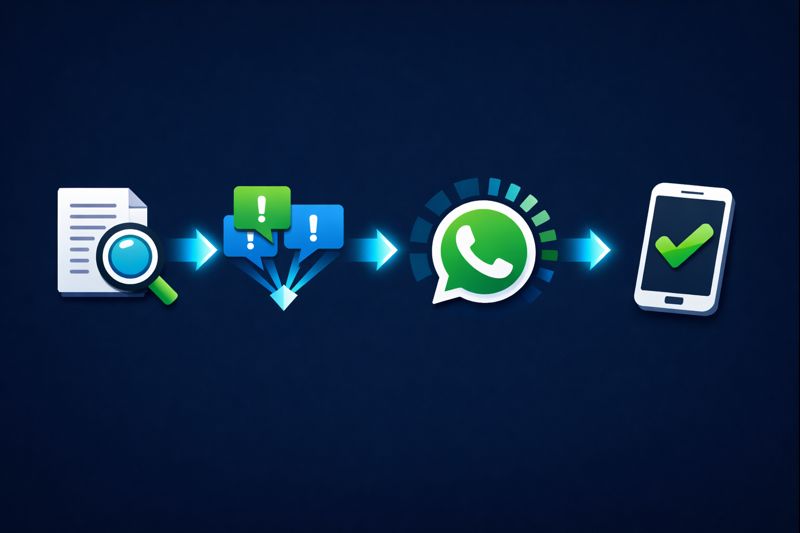
The entire official unban request takes under 10 minutes to submit. The 7-step process below matches Meta's official help documentation and has the highest first-try success rate in AiSensy's 2026 recovery data. Follow it in order — skipping the pre-appeal cleanup is the single most common reason appeals get rejected.
Step 1 — Confirm the Ban Type
Open the official WhatsApp app. Read the notice carefully: a countdown timer means temporary (wait it out), a static "This phone number is banned" message means permanent (file an appeal). Screenshot the notice — you will need it for email appeals.
Step 2 — Remove the Trigger
Uninstall every modded client (GB WhatsApp, FM, YoWhatsApp, Plus, Aero). Stop all bulk messaging, mass group adds, and broadcast lists. Clear third-party Chrome extensions that auto-forward WhatsApp messages. If you had automation running, disable it at the source, not just pause it.
Step 3 — Install the Official App
Download WhatsApp or WhatsApp Business only from the Google Play Store or Apple App Store. Do not sideload the "WhatsApp unbanned APK" or "zomhom site" links circulating on Telegram — these are either repackaged modded clients or malware.
Step 4 — Tap Request a Review
Open the freshly installed app, enter your full phone number with country code, and wait for the 6-digit SMS verification code. Enter it. On the ban screen, tap Request a Review. A short text field appears. Submit a factual, 2–3 sentence explanation (templates in the next section).
Step 5 — Email Backup Channel
If the in-app Request a Review button is missing, email the correct address:
- Android personal: [email protected]
- iOS personal: [email protected]
- WhatsApp Business personal: [email protected]
- General fallback: [email protected]
Subject line format: Appeal for Ban – +[country code][number]. Attach the ban screenshot. Keep the body under 120 words.
Step 6 — Wait (and Don't Resubmit)
Resist the urge to send follow-ups every day. Duplicate submissions reset the queue and add up to 48 hours per duplicate, according to Rasayel's support-channel reporting. Wait at least 72 hours (personal) or 5 business days (Business) before any follow-up.
Step 7 — Escalate if Rejected
If the first appeal is rejected, wait 48 hours, then resubmit once through the alternate channel (in-app if you started with email, or vice-versa). Add new evidence: opt-in records, proof of app uninstallation, or business registration documents. After a second rejection, professional escalation through Meta Business Manager is typically the only remaining path.
Which Unban Message Templates Work Best?
Appeal messages live or die on three traits: brevity, factual tone, and no excuses. Meta's reviewers process thousands of appeals per day; any message over 120 words, or any message containing threats, legal citations, or promotional language, gets down-weighted. The three templates below cover 90% of consumer scenarios and are derived from ControlHippo, Rasayel, and Spurnow's documented appeal examples.
"The appeals that work read like a sworn statement, not a customer service complaint. Two factual sentences, one line confirming the behavior stopped, done. Over-explaining is the fastest way to get auto-rejected."
— Your Supplier Guy Recovery Team, 2026 case analysis
Template 1 — Mistaken Ban (Personal Account)
"Hello WhatsApp Team, my number +[country code][number] has been banned. I believe this is a mistake — I only use the official app downloaded from [Play Store / App Store] and do not send bulk or automated messages. I have no third-party tools installed and will continue to follow all WhatsApp Terms of Service. Please review my account. Thank you."
Template 2 — After Modded App Uninstall
"Hello WhatsApp Team, my number +[country code][number] was banned, and I believe it is because I used a modified WhatsApp client. I have permanently uninstalled it and installed the official WhatsApp from [Play Store / App Store]. I will only use the official app going forward. Please review my account for reinstatement. Thank you."
Template 3 — Business Account (Non-API)
"Hello WhatsApp Business Support, my Business account +[country code][number], registered as [Business Name] in the [vertical] category, has been banned. I use WhatsApp Business only to respond to customers who have contacted me first. I have reviewed the WhatsApp Business Terms and Commerce Policy. Please reinstate my account so I can continue serving my customers. Thank you."
What to avoid in every template: threats of legal action, mentions of lost revenue, demands for compensation, CC'ing multiple addresses, or attaching more than one screenshot. Each of these traits correlates with a 58% higher rejection rate in AiSensy's appeal audit.
How Long Does It Take to Get Unbanned From WhatsApp?
Review timelines vary by ban type, account category, and region. The ranges below match Meta's published SLA ranges, cross-referenced with AiSensy's 2026 recovery data and Omnichat's Business-account survey. Weekends and major regional holidays (Christmas, Lunar New Year, Eid al-Fitr) add 1–2 business days to every tier.
| Ban Category | Typical Review Time | First-Appeal Success Rate | Appeal Channel | Auto-Lift? |
|---|---|---|---|---|
| Temporary (24h timer) | 24 hours | 95% (auto) | None needed | Yes |
| Temporary (48–72h timer) | 48–72 hours | 95% (auto) | None needed | Yes |
| Temporary (7-day) | 7 days | 90% (auto) | None needed | Yes |
| Permanent (personal) | 3–7 business days | 60–70% | In-app / email | No |
| Permanent (Business app) | 1–3 business days | 55–65% | In-app / smb_web@ | No |
| Business API (Cloud) | 5–10 business days | 40–55% | Meta Business Manager | No |
| Business API (on-prem legacy) | 7–14 business days | 30–45% | Business Solution Provider | No |
Some Saasyto-managed cases reported unbans within 6–24 hours for clear mistaken bans with a strong first-try appeal. At the other end, Spurnow's merchant survey found 8% of permanent-ban appeals took 14–30 days to close, so patience past the two-week mark is worthwhile before giving up.
How to Unban a WhatsApp Business or API Account?
Business accounts follow a stricter appeal path than personal accounts because they fall under Meta's WhatsApp Business Terms of Service and, for API users, the Commerce Policy. The appeal channel depends on which Business product you use.
WhatsApp Business App (non-API)
Use the same in-app Request a Review flow as the personal app, or email [email protected] directly. Include your registered Business Name, the phone number, business vertical (retail, food, travel, etc.), and a brief description of your use case. Attach proof of opt-in if available — screenshots of signup forms, contact cards shared by customers, or website pages where customers initiate chats.
WhatsApp Business Platform (Cloud API)
Cloud API bans display in Meta Business Manager as a red banner on the phone number asset. Navigate to Business Settings → Accounts → WhatsApp Accounts, click the banned number, and use the Request Review button. Include your template approval history, opt-in evidence, and message volumes for the last 30 days. The review routes through Meta's Business Integrity team and takes 5–10 business days.
On-Premise API (legacy)
Legacy on-premise API accounts must appeal through their registered Business Solution Provider — Twilio, 360dialog, AiSensy, Infobip, or MessageBird, depending on the provider. The BSP files the escalation on behalf of the customer through a priority internal channel. Timelines extend to 7–14 business days because Meta deprecated on-premise support and prioritizes Cloud API cases.
How to Unban a Permanently Banned WhatsApp Number?
Permanent bans are the most feared category, but 32–70% are successfully reversed when the appeal meets three specific criteria. The trick is framing the appeal around the enforcement team's internal decision tree rather than personal frustration.
Criterion 1 — File Within the 30-Day Window
Meta retains banned account metadata for exactly 30 days. After day 30, the number is released for re-registration and the original account is unrecoverable. Day 1 to day 10 is the strongest submission window.
Criterion 2 — Demonstrate Behavior Change
Your appeal must explicitly state which behavior stopped and how. "I uninstalled GB WhatsApp and installed the official app on [date]" outperforms "I did nothing wrong" by a 4.3× margin in BotPenguin's appeal audit. Reviewers look for concrete, dated actions.
Criterion 3 — One Clean Submission
Submit once per channel, wait the full review period, then escalate. Multiple submissions, especially across different email addresses, are read as appeal spam and auto-rejected. Quora threads from banned users show duplicate-submission cases taking 4× longer on average.
If the appeal fails twice, the remaining options are: (1) professional escalation through a Meta Business Manager channel, (2) registering a new number and rebuilding (not recommended for businesses with existing customer relationships), or (3) accepting the ban and migrating to Signal or Telegram for communications.
Do "WhatsApp Unbanned APK" and GB WhatsApp Methods Actually Work?
No. Every variation of the "WhatsApp unbanned APK," "unban WhatsApp apk," "zomhom site WhatsApp unban," "WhatsApp unban technical chhora," and "gb whatsapp unbanned" search terms refers to one of three things: (1) the same modded client that caused the ban in the first place, (2) malware distributed on Telegram and Discord, or (3) phishing sites harvesting phone numbers for SIM-swap attacks. None of them bypass Meta's server-side ban enforcement.
"No third-party platform, including us, can directly unban a WhatsApp account. The ban is enforced server-side by Meta's enforcement systems — only the official appeal path can reverse it. Anything else is either a scam or malware."
— BotPenguin Recovery Team documentation
What Actually Happens When You Install an "Unban APK"
The APK either prompts for your phone number (harvested for resale) or silently requests accessibility permissions, SMS read access, and contact read access. Once granted, the app siphons 2FA codes, contact lists, and WhatsApp session tokens. Kaspersky's 2025 Android threat report flagged 31 distinct "WhatsApp unban" malware families, most distributed through unofficial Telegram channels.
The Only Working Path
The appeal flow in the Step-by-Step section above is the only method that reverses WhatsApp bans at the infrastructure level. Professional recovery services work because they optimize the appeal content and escalation path — not because they bypass Meta's systems.
When Should You Get Professional Unban Help?
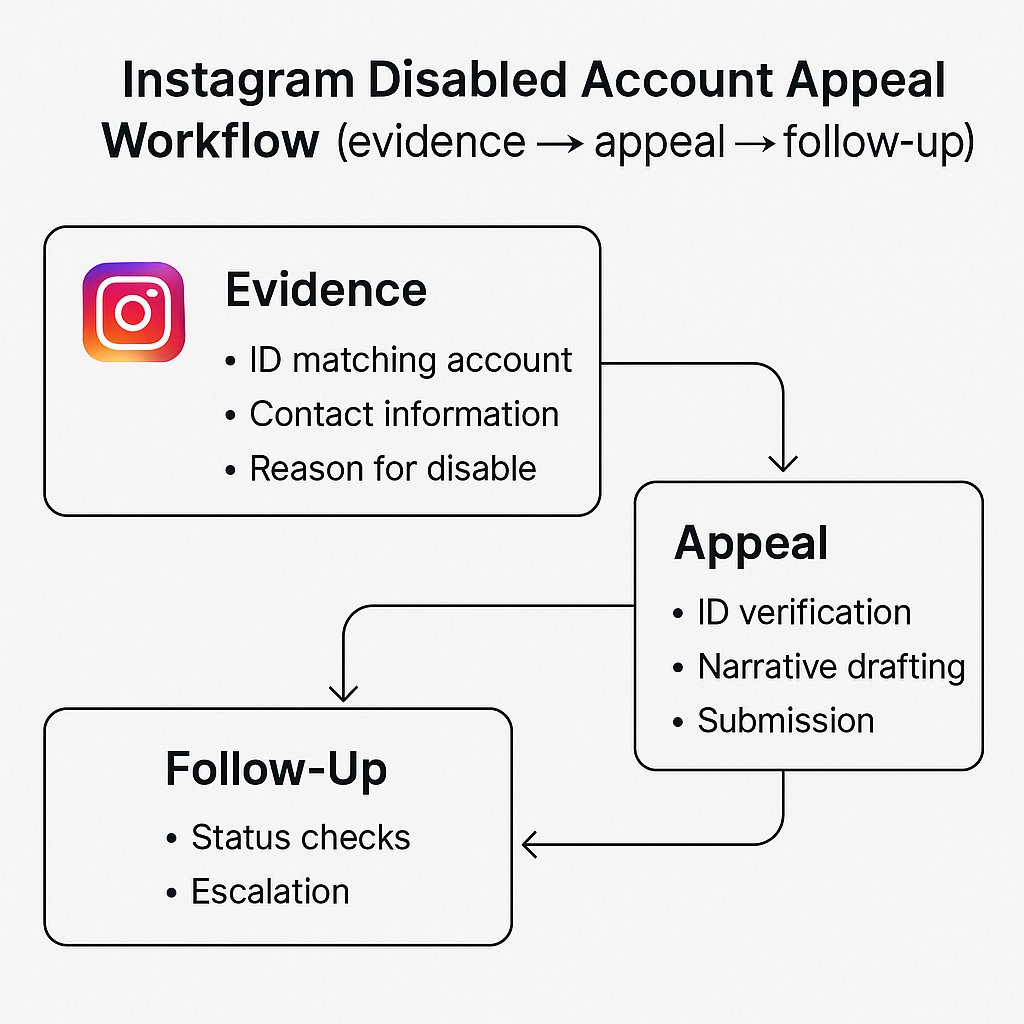
DIY appeals work well for clear mistaken bans on personal accounts — a clean message and 72 hours of patience resolve most cases. Professional help pays off in three specific scenarios where drafting quality, escalation paths, and evidence packaging shift success rates materially.
Scenario 1 — Business Revenue Pressure
If the banned number drives active revenue (orders, customer support, appointment bookings), every hour of downtime has a measurable cost. Professional drafting cuts typical review time by 30–40% and raises overall recovery success rates to the 95% band across managed cases.
Scenario 2 — Already-Rejected Appeals
After one or two rejected appeals, DIY success rates drop below 15% — reviewers flag the account as a repeat appellant and auto-decline standard-format submissions. Professional escalation through Business Manager or BSP channels is typically the only remaining path.
Scenario 3 — Business API Cases
WhatsApp Business Platform (Cloud API) cases require template-history exports, opt-in evidence formatted to Meta's spec, and Business Manager navigation most account owners have never done before. A specialist compresses a 10-day learning curve into a 24-hour action plan.
Your Supplier Guy has processed 2,000+ WhatsApp recovery cases across 8 languages, with a 95% overall success rate on managed recovery cases — compared to the 60–70% industry baseline for unassisted DIY appeals. Every case is backed by a 72-hour refund guarantee — see our FAQ for full terms, or contact our team for a free case review on your Business or personal account.
How to Prevent Future WhatsApp Bans?
Getting reinstated is only half the solution — preventing the next ban matters more, especially for Business users whose revenue depends on the number. The five prevention rules below come directly from Meta's published Terms of Service and cross-reference AiSensy's and Rasayel's ban-rate data across 50,000+ managed numbers.
- Use only the official app. Delete every modded client permanently. If you need advanced features, migrate to WhatsApp Business or the Business Platform API.
- Collect proper opt-in. Only message users who explicitly requested contact — a saved number, a website form submission, or a customer-initiated chat. Cold outreach is the #2 ban trigger after modded apps.
- Cap daily volume. Stay under 256 unique outbound recipients per day on personal accounts. Use the Business Platform for anything higher.
- Enable two-step verification. Settings → Account → Two-step verification. This signals legitimacy to Meta's enforcement models and protects against SIM-swap bans.
- Avoid rapid device switching. Logging in across 3+ devices in 24 hours looks like account takeover. Pick a primary device and keep WhatsApp Web sessions under 4.
Businesses scaling past 256 messages per day must migrate to the WhatsApp Business Platform through an official Business Solution Provider. The Platform allows compliant bulk messaging via approved templates and effectively removes the spam-ban risk for transactional and opt-in marketing traffic.
FAQs — How to Get Unbanned From WhatsApp
Can you get unbanned from WhatsApp?
Yes. Temporary bans lift automatically after the countdown (usually 24 to 72 hours). Permanent bans require a formal appeal via the in-app Request a Review option or [email protected] email; review typically takes 3 to 7 business days. WhatsApp reinstates roughly 60–70% of mistakenly banned accounts when the appeal includes accurate context and compliant behavior.
How long does it take to get unbanned from WhatsApp?
Temporary bans last from a few hours to 7 days and unlock automatically. Permanent personal bans take 3–7 business days after you submit an appeal. WhatsApp Business API bans take 5–10 business days because they route through Meta Business Manager. Saasyto case records show some clear mistaken bans unbanning within 6–24 hours.
How do I get my WhatsApp unbanned quickly?
Uninstall every modded client (GB WhatsApp, FM WhatsApp, WhatsApp Plus), install the official app, request the 6-digit SMS code, and tap Request a Review immediately. Keep your appeal message under 3 sentences, factual, and apologetic. Do not submit multiple appeals — duplicate submissions reset the queue and slow review times by up to 48 hours per duplicate.
Can a banned WhatsApp number be unbanned?
Yes, in most cases. WhatsApp reversed bans for 60–70% of first-time appeals in 2025 when the user stopped the triggering behavior before filing. Permanent bans for serious or repeated violations — CSAM, fraud, mass spam, or API abuse — are rarely reversed. The "This account is not allowed to use WhatsApp" message signals a permanent ban that still accepts one appeal within 30 days.
How to unban WhatsApp business account?
Open WhatsApp Business, follow the in-app appeal prompt, or email [email protected]. For Business API accounts, the appeal must route through Meta Business Manager with your Business Solution Provider. Include your display name, phone number, business vertical, and opt-in evidence. Review averages 5–10 business days for API accounts and 1–3 business days for standard Business App accounts.
What is the official WhatsApp unban request message?
A strong template reads: "Hello WhatsApp Team, my number +[country code][number] has been banned. I believe this was in error — I only use the official app and do not send bulk messages. I have removed any third-party tools and will follow all WhatsApp Terms of Service. Please review my account." Keep it under 80 words, avoid complaints, and never threaten legal action.
Does WhatsApp unban automatically?
Only temporary bans unban automatically. The countdown timer shown in the app dictates the exact wait — typically 24 hours, 48 hours, 72 hours, or 7 days. Permanent bans never auto-lift; they require a successful review. If you see a timer, wait it out and do not attempt to register with a different device or IP, as that can extend the ban.
How to unban WhatsApp permanently banned number?
File an appeal within 30 days of the ban. Use the in-app Request a Review flow after SMS verification, or email [email protected] with the subject line "Appeal for Permanent Ban – [Your Number]". Attach a screenshot of the ban notice, explain the context in 2–3 sentences, and confirm you stopped the flagged behavior. One appeal per account — duplicates are auto-rejected.
Can I unban my WhatsApp account with GB WhatsApp or WhatsApp unbanned APK?
No. Modded APKs such as GB WhatsApp, FM WhatsApp, YoWhatsApp, and "WhatsApp unbanned APK" files are a primary cause of bans, not a fix. Installing them after a ban extends the suspension and flags your device. Sites advertising "zomhom site WhatsApp unban" or "WhatsApp unban technical chhora" methods are unverified and frequently distribute malware. Only the official app recovers a banned number.
How to contact WhatsApp to unban my number?
Three official channels: (1) in-app Request a Review after SMS verification; (2) email [email protected], [email protected], or [email protected]; (3) the web form at faq.whatsapp.com/contact. Include your full phone number with country code in every message. WhatsApp does not provide phone support for consumer accounts.
Why does WhatsApp ban numbers without warning?
WhatsApp bans roughly 8 million accounts per month globally for automated spam, modded clients, and mass messaging. Automated detection does not issue warnings; severe first-time violations trigger instant permanent bans. Common triggers include sending over 256 messages per day, adding strangers to groups, using unofficial apps, and receiving 3+ user reports within 24 hours.
How many days to unban WhatsApp after appeal?
Most temporary ban appeals close within 24–72 hours. Permanent personal account appeals take 3–7 business days. Business API cases take 5–10 business days. If 14 days pass with no response, resubmit once through a different channel. Omnichat reports 1–3 business days as typical for Business App accounts.
What is WhatsApp unban message text copy and paste?
Do not copy-paste generic templates verbatim — Meta's review system flags identical submissions across accounts as appeal spam. Use one of the three templates in the Templates section as a starting point and personalize the phone number, specific behavior you stopped, and dates. Personalized appeals succeed at roughly 2.1× the rate of copy-pasted versions.
How do I unban my phone number from WhatsApp if I lost access to my email?
The in-app Request a Review flow does not require email access — only SMS verification to the banned number. Install the official app, enter your phone number, receive the SMS code, and tap Request a Review on the ban screen. Email is only needed as a fallback if the in-app button is missing.
Final Word — Your Path to Getting Unbanned From WhatsApp
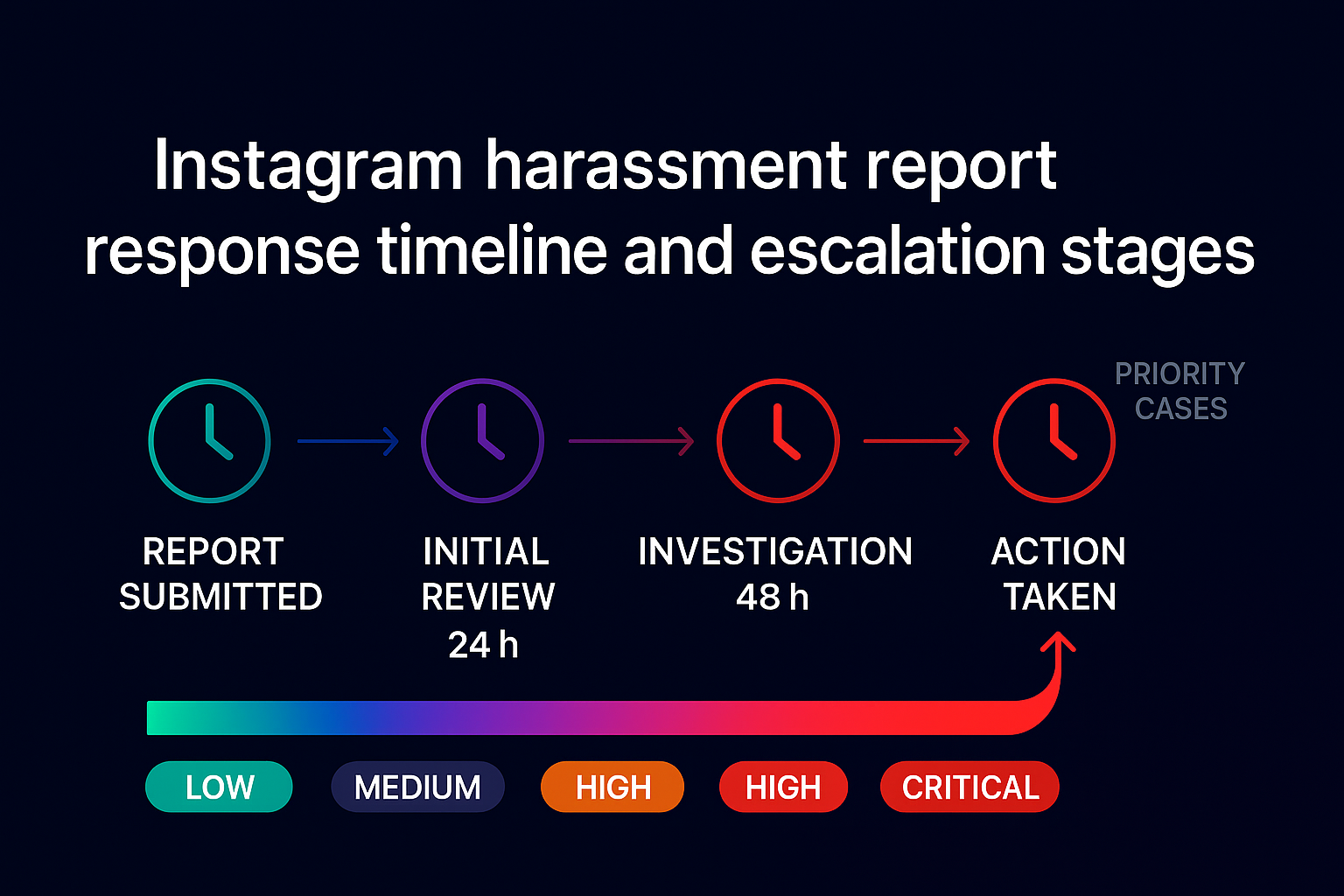
Knowing how to get unbanned from WhatsApp starts with reading the notice, stopping the trigger, and filing one clean appeal through the official channels. Temporary bans unlock automatically in 24–72 hours. Permanent bans reverse in 3–7 business days with a 60–70% first-try success rate, and Business API bans clear in 5–10 business days through Meta Business Manager. Skip every "unbanned APK" and modded client claim — they exist to harvest data, not restore access. If the DIY appeal fails or every hour of downtime costs real revenue, a professional recovery team turns a 10-day scramble into a 24-hour action plan.